You are viewing an older revision! See the latest version
uVGAII
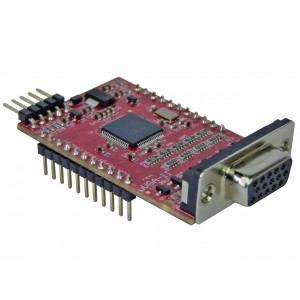
The uVGA II board from 4D Systems
The uVGA II from 4D Systems is a low-cost VGA controller on a breakout board. The existing mbed cookbook 4D SGC library can be used with a couple minor patches for 640 by 480 resolution.
Here is a uVGA II demo program to try:
Import programuVGAII_demo
A demo program for the uVGAII board using the mbed cookbook 4DGL library in 640 by 480 VGA mode
Last commit 25 Feb 2011 by  jim hamblen
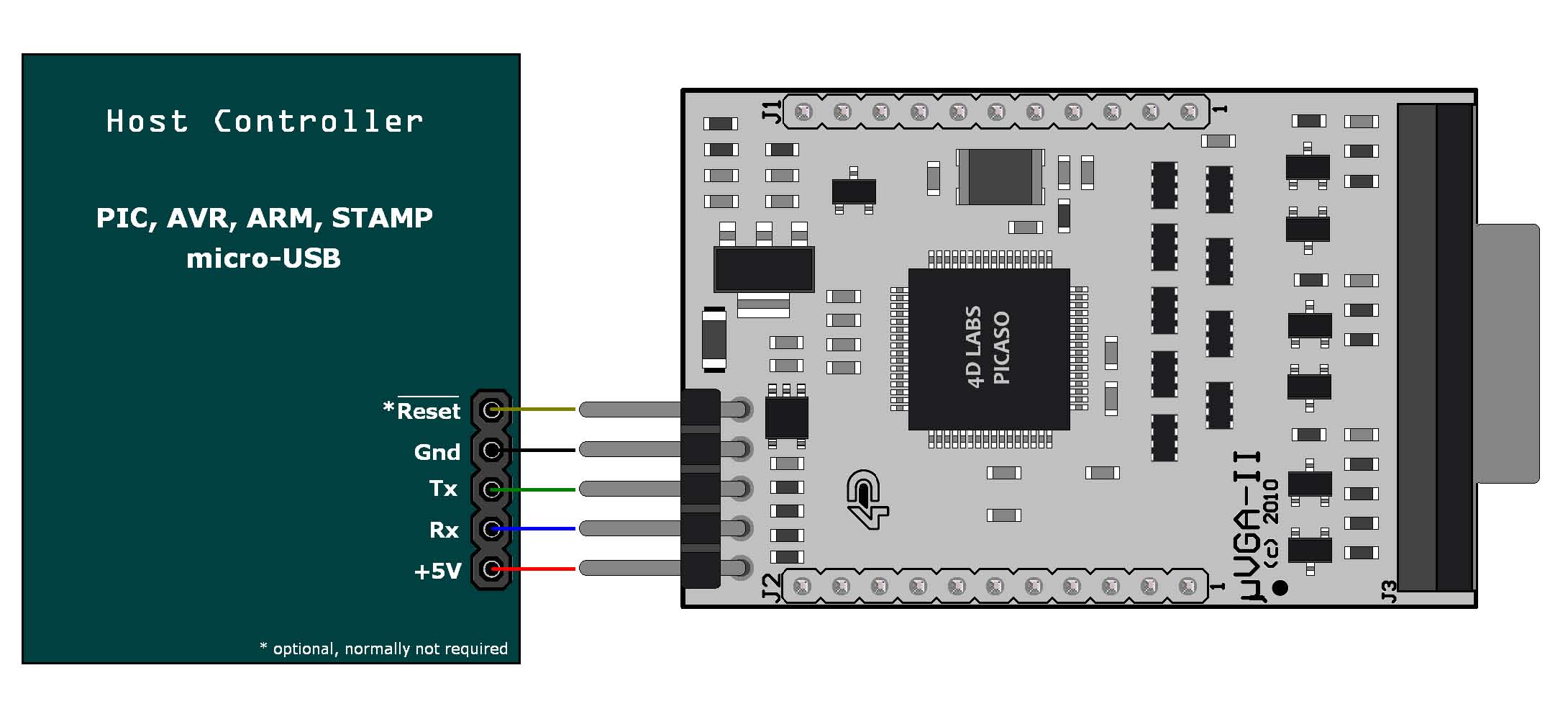
Here is the wiring for the demo program:
| mbed | uVGA II |
|---|---|
| 5V=VU | 5V |
| Gnd | Gnd |
| TX=P9 | RX |
| RX=P10 | TX |
| P11 | Reset |
Just plug in any VGA monitor to the DB15 connector and watch the display.
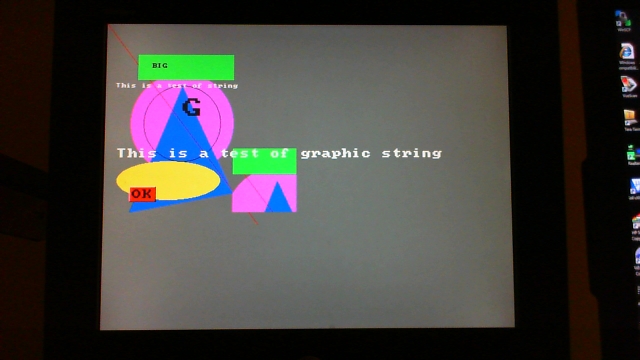
mbed uVGA II demo program output on a VGA monitor in 640 by 480 mode.
Use the demo code as an initial starting point to develop your own display code. The module starts in 320 by 240 graphics mode and a special display command in main.cpp, “ecran.display_control(0x0c, 0x01);” is sent to switch to 640 by 480 mode in the demo code before sending any text and graphics data to the display. The 4DGL library *.h file, TFT_4GL.h, has a SIZE_X and SIZE_Y #define that should be edited and set to the number of pixels in the display, after you have a copy of the library in your local directory. The demo code for text and graphics calls is shown below:
    ecran.background_color(DGREY);
    ecran.circle(120, 160, 80, 0xFF00FF);
    ecran.triangle(120, 100, 40, 300, 200, 270, 0x0000FF);
    ecran.line(0, 0, 239, 319, 0xFF0000);
    ecran.rectangle(50, 50, 200, 90, 0x00FF00);
    ecran.ellipse(100, 250, 80, 30, 0xFFFF00);
    ecran.pixel(120, 160, BLACK);
    ecran.read_pixel(120, 170);
    ecran.screen_copy(50, 50, 200, 200, 100, 100);
    ecran.pen_size(WIREFRAME);
    ecran.circle(120, 160, 60, BLACK);
    ecran.set_font(FONT_8X8);
    ecran.text_mode(TRANSPARENT);
    ecran.text_char('B', 9, 8, BLACK);
    ecran.text_char('I',10, 8, BLACK);
    ecran.text_char('G',11, 8, BLACK);
    ecran.graphic_char('G', 120, 120, BLACK, 4, 4);
    ecran.text_string("This is a test of string", 2, 12, FONT_8X8, WHITE);
    ecran.graphic_string("This is a test of graphic string", 20, 200, FONT_8X8, WHITE, 2, 2);
    ecran.text_button("OK", UP, 40, 260, 0xFF0000, FONT_8X8, BLACK, 2, 2);