You are viewing an older revision! See the latest version
Working with Libraries
Copy and paste no more!
On mbed.org there is integrated support for code component sharing and reuse via Libraries (see Writing a Library.
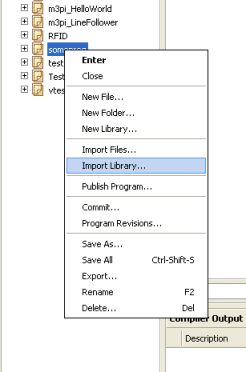
To add a library to your program, right click your program, then select Import Library:
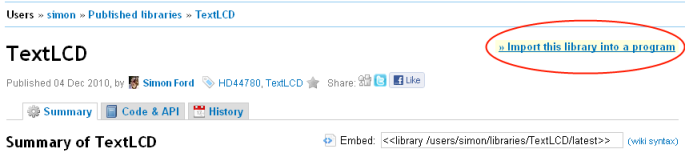
Alternatively, if you see a library you want on the mbed site, click 'Import this library into a program':
To find out how to create your own libraries, see Writing a Library
Features
- A library can be imported into any program
- If a new version of a library is published, anyone using the library in a program will be notified that a new version is available
- Libraries can be imported, modified, then republished (forking)
- If a program using the library is published, the library will be 'attached' to that program and will be automatically imported if anyone imports the program
- You can see which published programs are using a library on the library's page
- If public, libraries appear on the Code page and in the IDE import wizard
- Like Programs, Libraries will autogenerate documentation if it is provided in the code (see Documenting a Library).
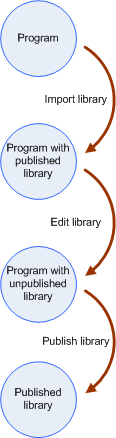
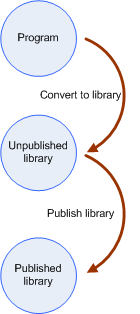
State diagrams
Creating a library
Modifying someone else's library