Renesas

Renesas Electronics Corporation (TSE: 6723), the world's number one supplier of microcontrollers, is a premier supplier of advanced semiconductor solutions including microcontrollers, SoC solutions and a broad range of analog and power devices.
You are viewing an older revision! See the latest version
Code debug by IDE DS 5
Generate elf file
Construction of GCC development environment
Since mbed online compiler generates bin file only, export your project and build it by using GCC ARM embedded.
Install GCC ARM embedded
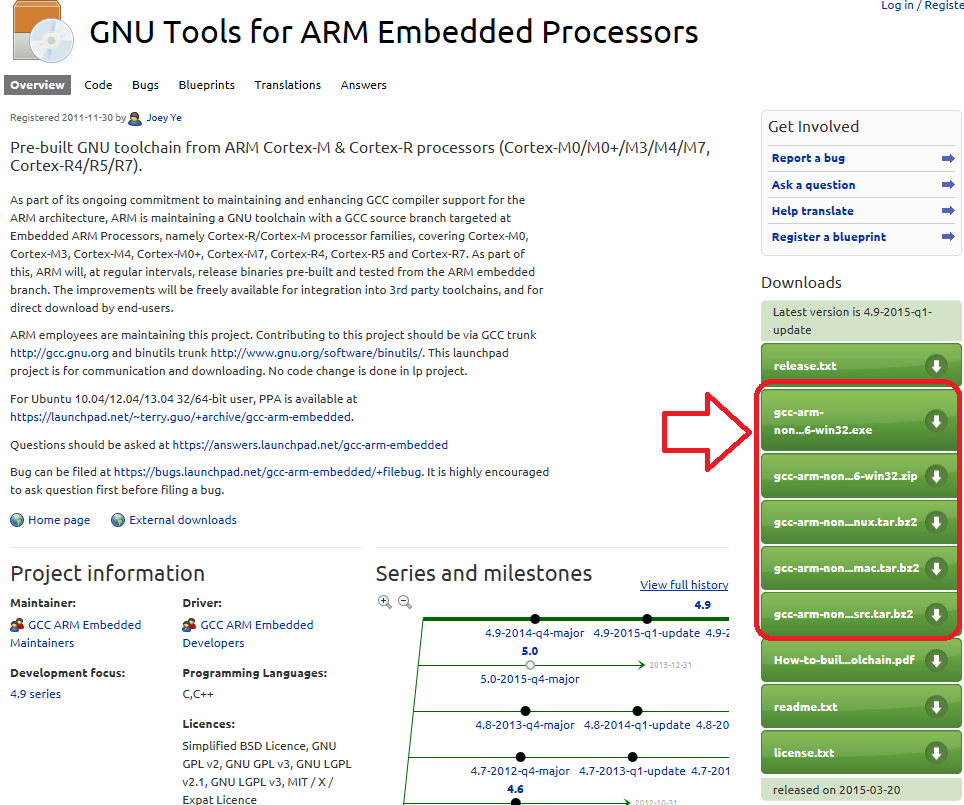
- Go to GCC ARM embedded.
- Download installer at the right side of page.
- Launch GCC ARM embedded install wizard.
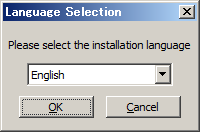
- Select language.
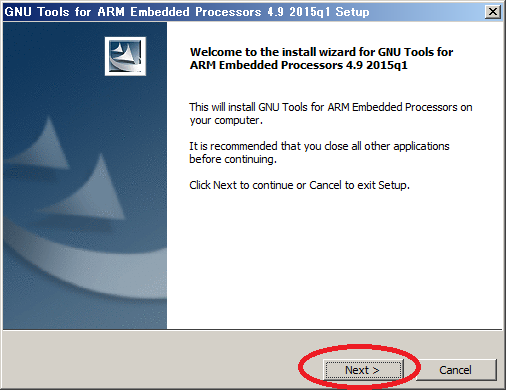
- Push "Next>".
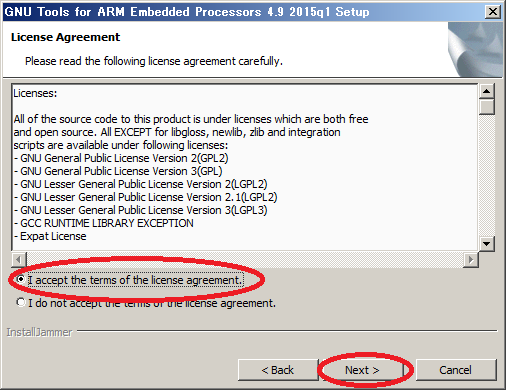
- Push "I accept the terms of the license agreement" and "Next>"
- Push "Next>".
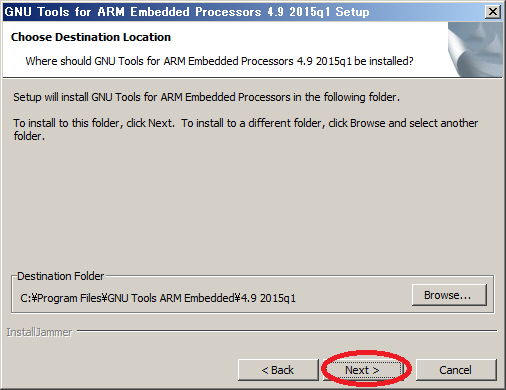
- Push "Next>".
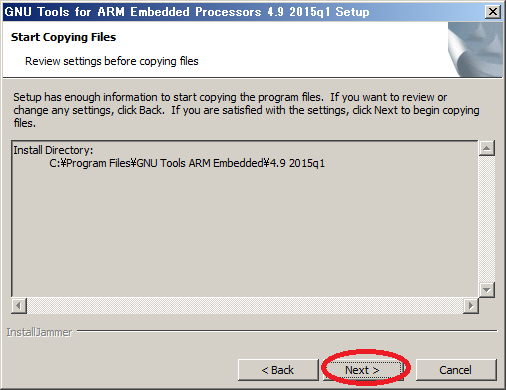
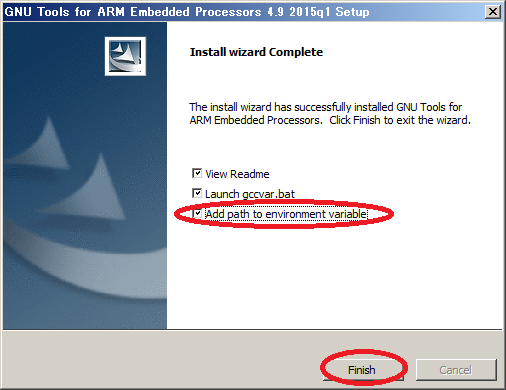
- Check "Add path to environment variable", and push "Finish>".
Install cygwin
If your environment is windows, you need to install "make.exe" and add make.exe to path.
If your environment is not windows, skip this section.
To debug your program by IDE "DS-5", you need to have an elf file includes debug information.
Since mbed online compiler generates bin file only, export your project and build it by using GCC ARM embedded.
In the end of GCC ARM embedded install wizard, check "Add path to environment variable".
If your environment is windows, you need to install "make.exe" and add make.exe to path. For example, cygwin includes "make.exe". In cygwin setup wizard, select "All - Devel - make: The GNU version of the 'make' utility.". The path to "make.exe" is "C:\cygwin\bin". To add path, refer here.
Type "make" command at the directory includes "Makefile", you can get elf file.
Install Windows serial driver
Install latest Windows Serial Port Driver to setup CMSIS-DAP from the link below:
https://mbed.org/handbook/Windows-serial-configuration
Download DS-5 Starter Kit for Renesas RZ
- Download DS-5 v5.19, and install. (You need an ARM account for donwloading.)
・Windows 32bit
・Windows 64bit
・Linux 32bit
・Linux 64bit
- To get your activation code of DS-5, goto DS-5 for Renesas RZ and click "Get started with free activation code" under "DS-5 Starter Kit for Renesas RZ".
- Launch DS-5 and clink "Help" and select "ARM License Manager".
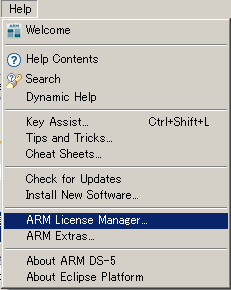
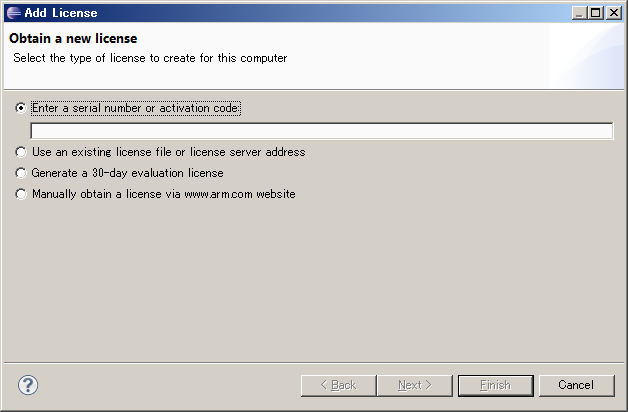
- ARM License Manager is displayed, Click "Add license"
- Input your activation code, and click "Finish"
Add DS-5 configuration for the target
Add mbed RZ/A1H configuration into DS-5.
configdb_v519-20150327.zip
- Download above zip file and extract it
- Start DS-5
- From menu, select [Window] [Preference] and [DS-5] [Configuration Database] press [Add] button
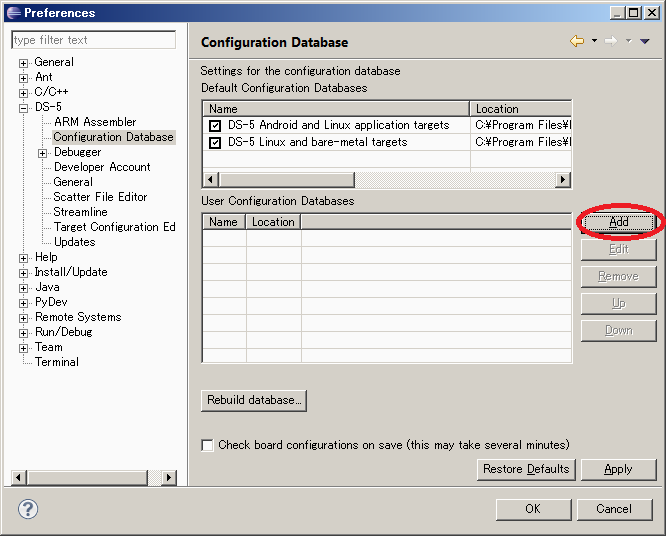
- Browse the configdb folder which you extracted and set configuration name e.g. mbed

- Press [Rebuild database] button
- Press [OK] button to close the dialog
Create debug configuration
1. Connection tab
- From menu in C/C++ perspective or DS-5 debug perspective , select [Run] [Debug Configurations...]
- Create new configuration from [DS-5 Debugger]
- Select target: Renesas - RZ/A1H R7S721001 - Bare Metal Debug - Debug Cortex-A9
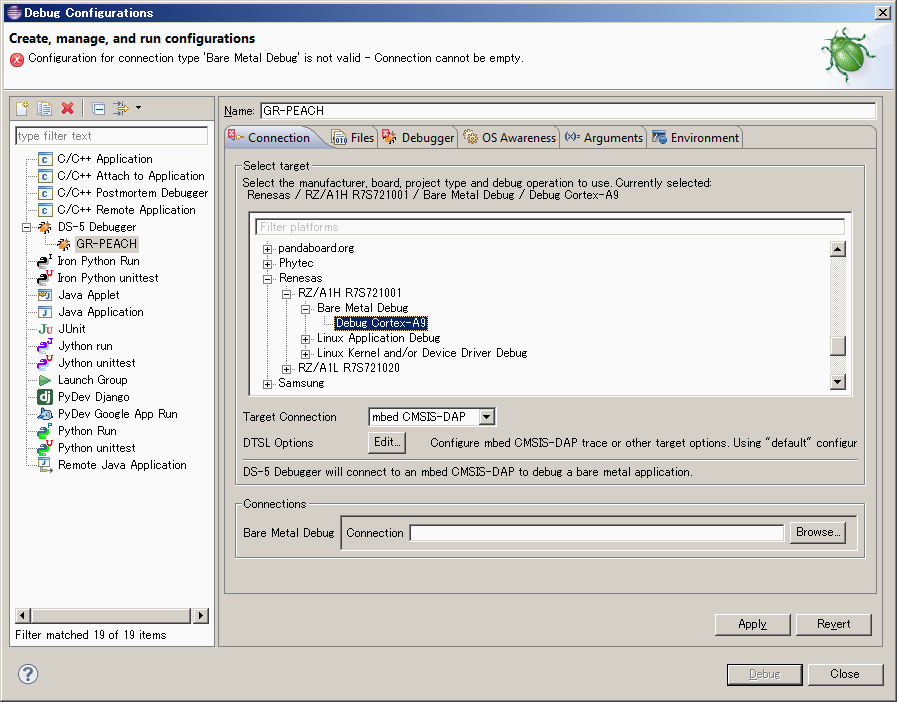
- Set Target Connection to mbed CMSIS-DAP
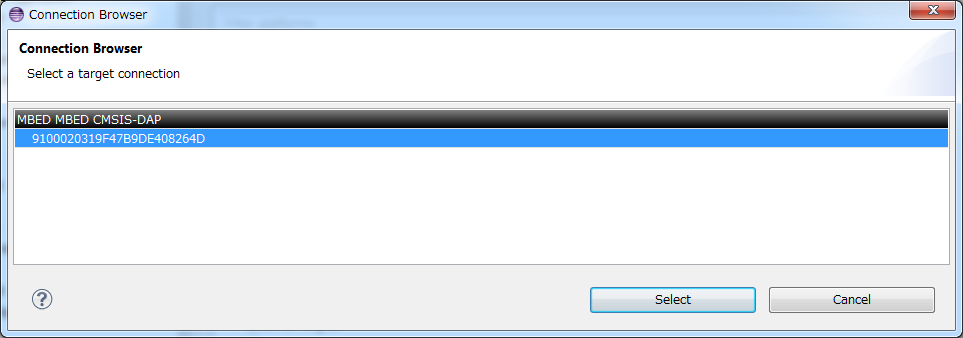
- Select CMSIS-DAP device from [Browse...] of the Connections
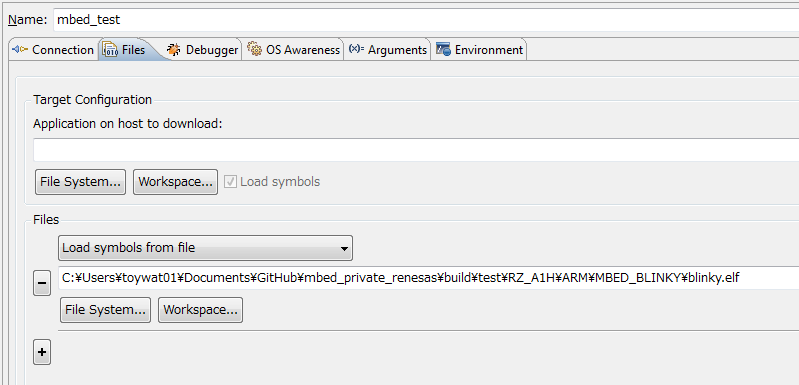
2. File tab
- Select .elf file of the test program in the Target Configuration
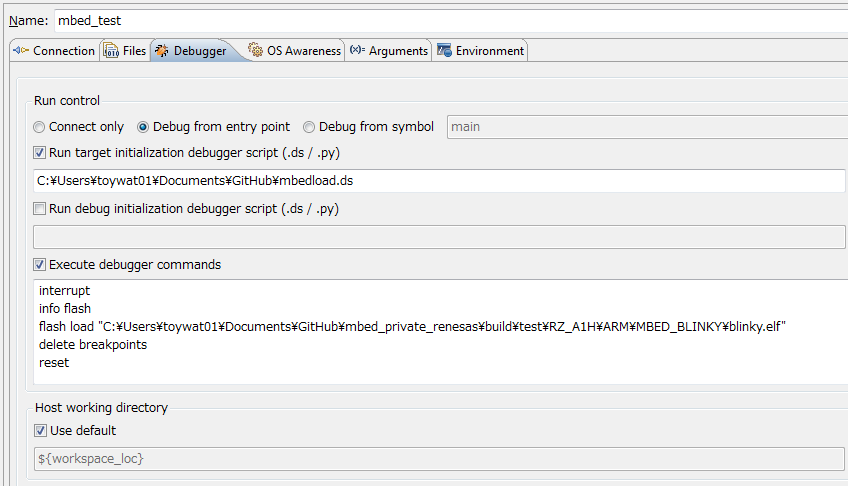
3. Debugger tab
- Run Control : Debug from entry point
- Check "Run target initialization debugger script (.ds / .py) " and select the mbedload.ds in the zip file
- Check "Execute debugger commands" and put following commands:
interrupt
info flash
flash load "C:\Users\toywat01\Documents\GitHub\mbed_private_renesas\build\test\RZ_A1H\ARM\MBED_BLINKY\blinky.elf"
delete breakpoints
reset
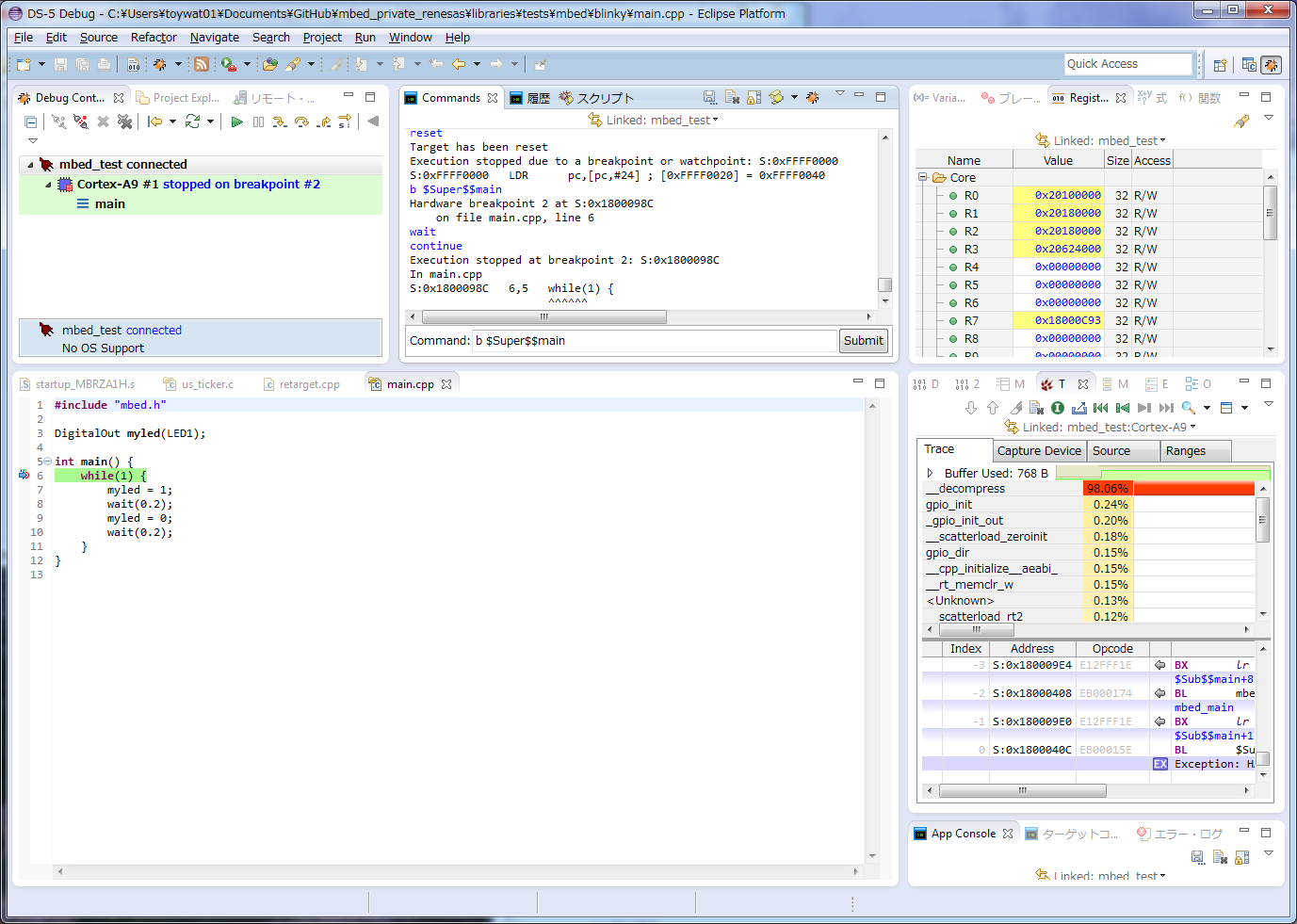
4. Debug
- Press [Apply] and [Debug] button to start debug session
ELFファイルを書き込まずにデバッグを行う
上記の手順で完全なソースコードデバッグが出来ますが、使い方によっては「デバッグセッションを起動する度にフラッシュメモリにプログラムするのに時間がかかる」という問題があるかもしれません。
その場合は、「あらかじめGR-PEACHにバイナリファイルを書き込んでおいて、DS-5からはシンボル情報だけ読み込んでデバッグする」という方法もあります。以下に手順を示します。 1.mbed ドライブにRAWバイナリ(ELFではない)を書き込む。 2.上記「デバッグコンフィグレーションの作成」3. デバッガタブ のダイアログの「デバッガコマンドの実行」のチェックを外す(コマンドが実行されないようにする)。
他の設定は同じです。