Important changes to repositories hosted on mbed.com
Mbed hosted mercurial repositories are deprecated and are due to be permanently deleted in July 2026.
To keep a copy of this software download the repository Zip archive or clone locally using Mercurial.
It is also possible to export all your personal repositories from the account settings page.
Dependencies: NyFileSystems libMiMic mbed-rtos mbed
Fork of
MiMicRemoteMCU-for-Mbed
by  Ryo Iizuka
English
MiMicProject http://nyatla.jp/mimic/wp/
This application allow to control the remote mbed through the network. It allows to control the mbed without a firmware update. It has some Interface. There are Javascript(WebBrowser), Procesing, Java. API waits for a function very similar to mbedSDK.
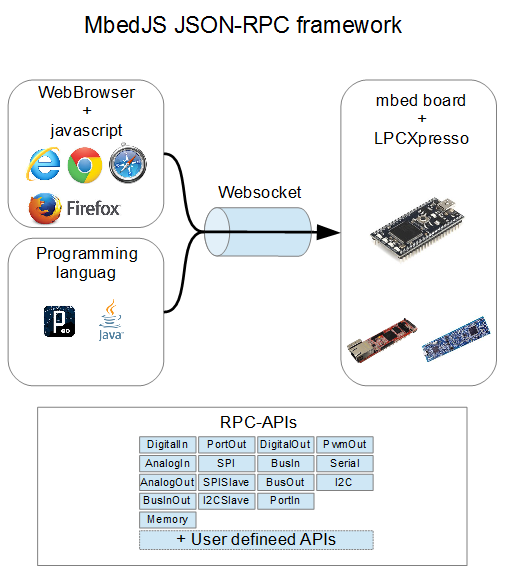
Feature
- Low delay RPC by Websocket+JSON-RPC.
- OnChip programing environment (Javascript).
- Zero configuration support (UPnP/mDNS/AutoIP/DHCP)
- mbedAPI like APIs.
- Supports mbed LPC1768/LPCXpresso1769/LPC4088/FRDM-K64F
GettingStarted
mbed(LPC1768)
- Compile and write mbedJS to your mbed.
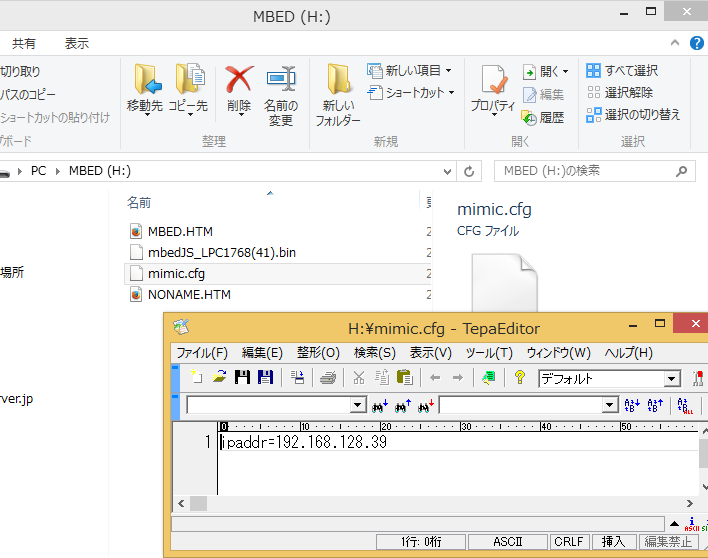
- Create mimic.cfg file to the mbed drive. This is network configuration.
- Connect to Ethernet cable to the mbed.
- Reset mbed.
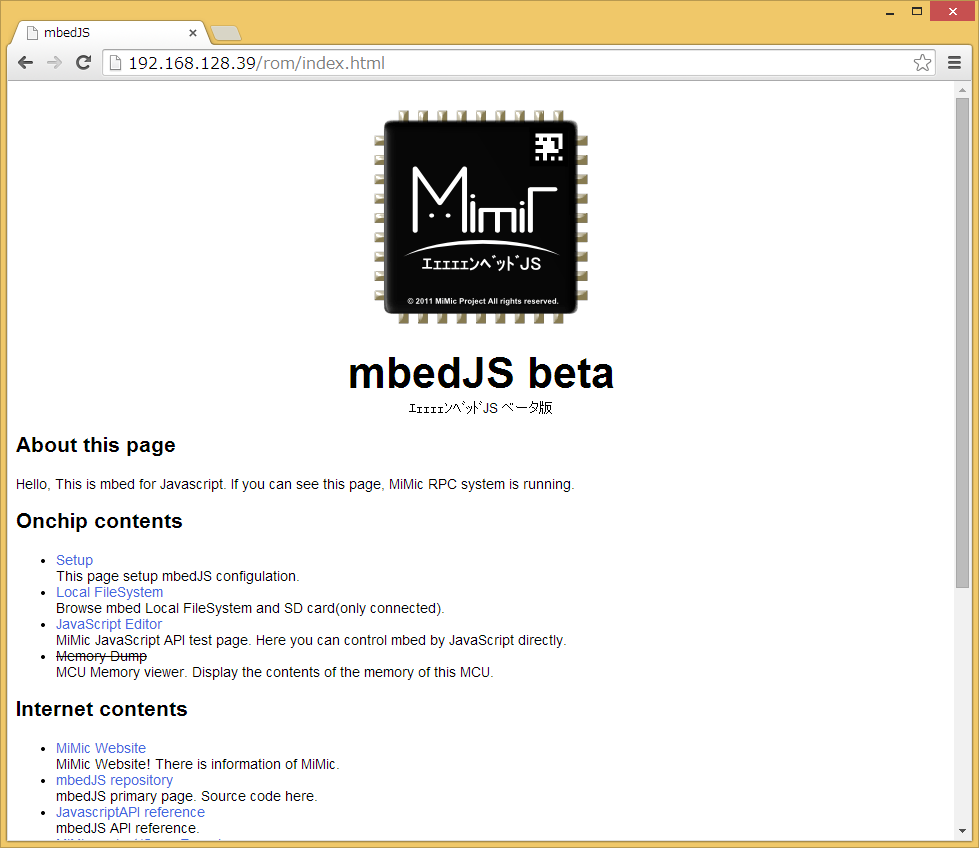
- Open http://[mbed IP address]/ by web browser.
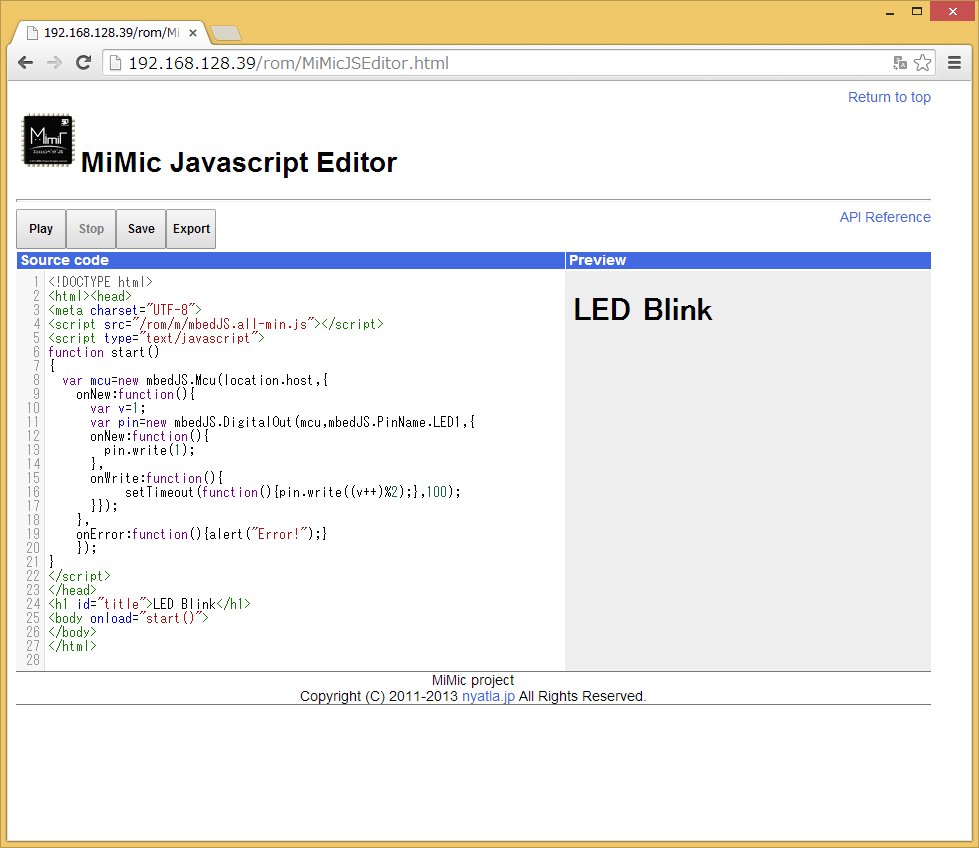
- Click JavascriptEditor.
- Click StartButton. LED will be blinking.
LPCXpresso1769 and LPC4088 QuickStartBoard and FRDM-K64F
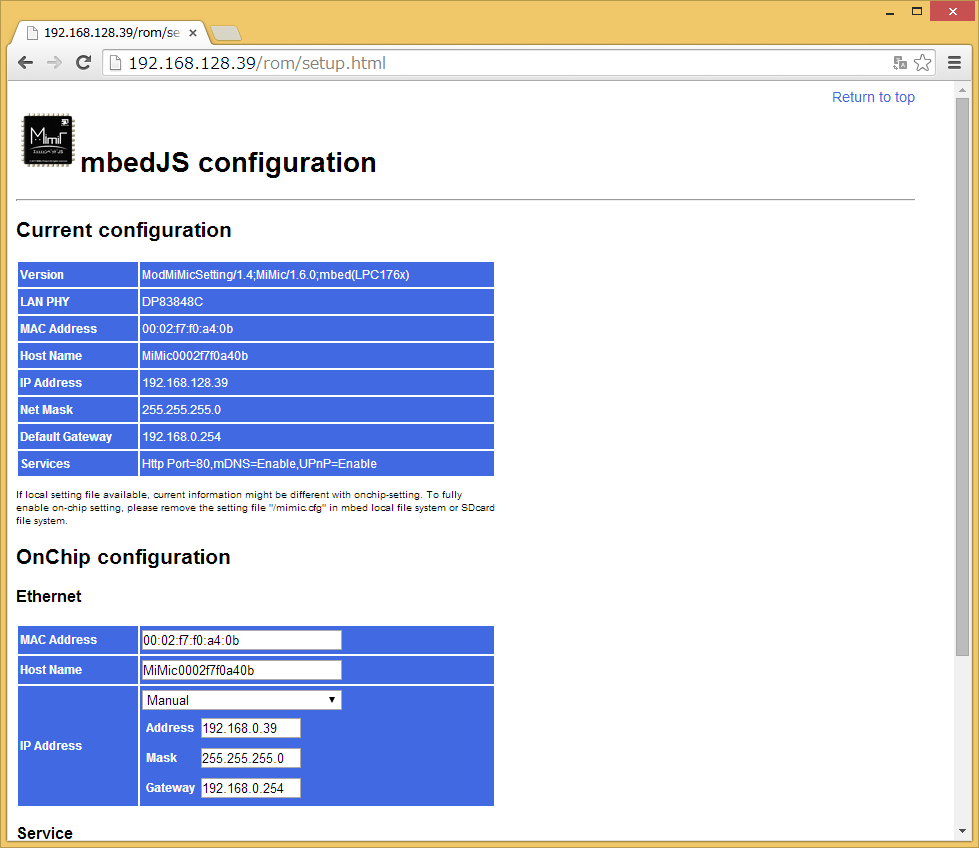
Those do not have LocalFileSystem. mbedJS initial IP address is "192.168.0.39". Open this address and click Setup page. You can change ipaddress at here.
Other APIs
- mbedJS Javascript API https://github.com/nyatla/mbedJS-Javascript-API
- mbedJS Java API https://github.com/nyatla/mbedJS-Java-API
- mbedJS processing API https://github.com/nyatla/mbedJS-Processing-API
Reference
- QuickStart manual http://mimic.sourceforge.jp/doc/pdf/mbedJS.quickstart.en.pdf
- javascriptAPI referencehttp://mimic.sourceforge.jp/doc/mbedjs/current/
- javascriptAPI driver referencehttp://mimic.sourceforge.jp/doc/mbedjs.driver/current/
- http://mbed.org/users/nyatla/notebook/how-to-control-mbed-from-processing/
日本語
MiMicProject http://nyatla.jp/mimic/wp/
mbedJSはmbedをWebネットワークにつなぐためのアプリケーションです。 Javascript(ウェブブラウザ)、Processing、Javaから、mbedを操作することができます。 これらはmbedSDKのクラスライブラリとよく似たAPIなので、mbedを知っている方なら簡単に使うことができます。
特徴
- Websocket+JSONRPCによる低遅延なRPC
- ワンチップでブラウザ向けの開発環境を提供
- UPnP/Bonjurによるディスカバりに対応
- mbedSDKのAPIと同じ構成のAPI
- mbed LPC1768/LPCXpresso1769/LPC4088/FRDM-K64Fに対応
このアプリケーションはMiMicRemoteMCUとよく似ていますが、JavascriptAPIがより使いやすくなりました。
はじめかた
- ファームウェアをmbedに書き込みます。
- 設定ファイルにネットワークに合わせたIPアドレスを指定します。
- mbedをリセットして、設定したIPアドレスをブラウザで開きます。
- JavascriptEditorを開きます。
- Startボタンを押してLEDがチカチカすれば成功です。
mbedJS APIs
- mbedJS Javascript API https://github.com/nyatla/mbedJS-Javascript-API
- mbedJS Java API https://github.com/nyatla/mbedJS-Java-API
- mbedJS processing API https://github.com/nyatla/mbedJS-Processing-API
ドキュメント
- クイックスタートマニュアル http://mimic.sourceforge.jp/doc/pdf/mbedJS.quickstart.ja.pdf
- javascriptAPIリファレンス http://mimic.sourceforge.jp/doc/mbedjs/current/
- javascriptAPIリファレンス(ドライバ) http://mimic.sourceforge.jp/doc/mbedjs.driver/current/
関連記事
- MiMicProject http://nyatla.jp/mimic/wp/
- mbedJS + p5.jsでWebブラウザからmbedを制御するhttp://nyatla.hatenadiary.jp/entry/20141103/1415021260
- エェェェェンベッドJS (mbedJS) beta版をリリースしました http://nyatla.hatenadiary.jp/entry/20140625/1403701589
- ProcessingとJavaからmbedを操作して遊べるようにした http://nyatla.hatenadiary.jp/entry/20140720/1405861733
- mbedJSをインターネットで共有するシステムを作ったhttp://nyatla.hatenadiary.jp/entry/20140912/1410528645
Revision 49:d860d810d7d7, committed 2014-10-27
- Comitter:
- nyatla
- Date:
- Mon Oct 27 15:18:39 2014 +0000
- Parent:
- 48:e75b44c68b61
- Child:
- 50:af8232c6c4e6
- Commit message:
- Fix hidden stack overflow
Changed in this revision
| main.cpp | Show annotated file Show diff for this revision Revisions of this file |
--- a/main.cpp	Mon Oct 27 11:22:00 2014 +0000
+++ b/main.cpp	Mon Oct 27 15:18:39 2014 +0000
@@ -30,7 +30,7 @@
 }
 #endif

-Net* net;
+


 /**
@@ -55,7 +55,7 @@
     ModUPnPDevice modupnp;
     ModJsonRpc modrpc;
 public:
-    MiMicRemoteMcu(NetConfig& i_cfg):Httpd(i_cfg.getHttpPort())
+    MiMicRemoteMcu(Net& i_net,NetConfig& i_cfg):Httpd(i_cfg.getHttpPort())
     {
         this->modromfs.setParam("rom",RMCU_FSDATA,18);
         this->mimicsetting.setParam("setup");
@@ -63,7 +63,7 @@
         this->modlocal.setParam("local");
         this->modsd.setParam("sd",ModLocalFileSystem::FST_SDFATFS);
         this->modfio.setParam("fio");
-        this->modupnp.setParam(*net);
+        this->modupnp.setParam(i_net);
         this->modrpc.setParam("rpc",RPCTBL);
     }
     /**
@@ -117,13 +117,13 @@
     }
 };

-
-NetConfig cfg; //create network configulation  with onchip-setting.
+MiMicRemoteMcu* httpd; //create a httpd instance.
 char friendly_name[48];//32(HostNameMAX)+16で十分(mbedJSの場合)
 int main()
 {
+    Net net;//Net constructor must be created after started RTOS
+    NetConfig cfg; //create network configulation  with onchip-setting.
     pf_init();
-    net=new Net();//Net constructor must be created after started RTOS
     //Prepare configulation.
     cfg.setUPnPIcon(64,64,8,"image/png","/rom/icon.png");
     cfg.setUPnPUdn(0xe29f7101,0x4ba2,0x01e0,0);
@@ -140,8 +140,8 @@
     cfg.setFriendlyName(friendly_name);


-    MiMicRemoteMcu httpd(cfg); //create a httpd instance.
-    net->start(cfg);
-    httpd.loop();  //start httpd loop.
+    httpd=new MiMicRemoteMcu(net,cfg); //create a httpd instance.
+    net.start(cfg);
+    httpd->loop();  //start httpd loop.
     return 0;
 }
Repository toolbox
Repository details
| Type: | Program |
|---|---|
| Mbed OS support: | Mbed 2 deprecated |
| Created: | 24 Jun 2014 |
| Imports: | 468 |
| Forks: | 0 |
| Commits: | 63 |
| Dependents: | 0 |
| Dependencies: | 4 |
| Followers: | 17 |
Components
 MiMic Webservice library