Bluetooth Notification (with Fingerprint Approval)
 Jacob Hancock.
0
replies
16x2 LCD,
bluetooth,
Fingerprint Scanner,
Haptic Feedback Motor,
notification,
RPG
Jacob Hancock.
0
replies
16x2 LCD,
bluetooth,
Fingerprint Scanner,
Haptic Feedback Motor,
notification,
RPG
GaTech ECE 4180 Group Members
- Austin Terrell
- Jacob Hancock
Introduction
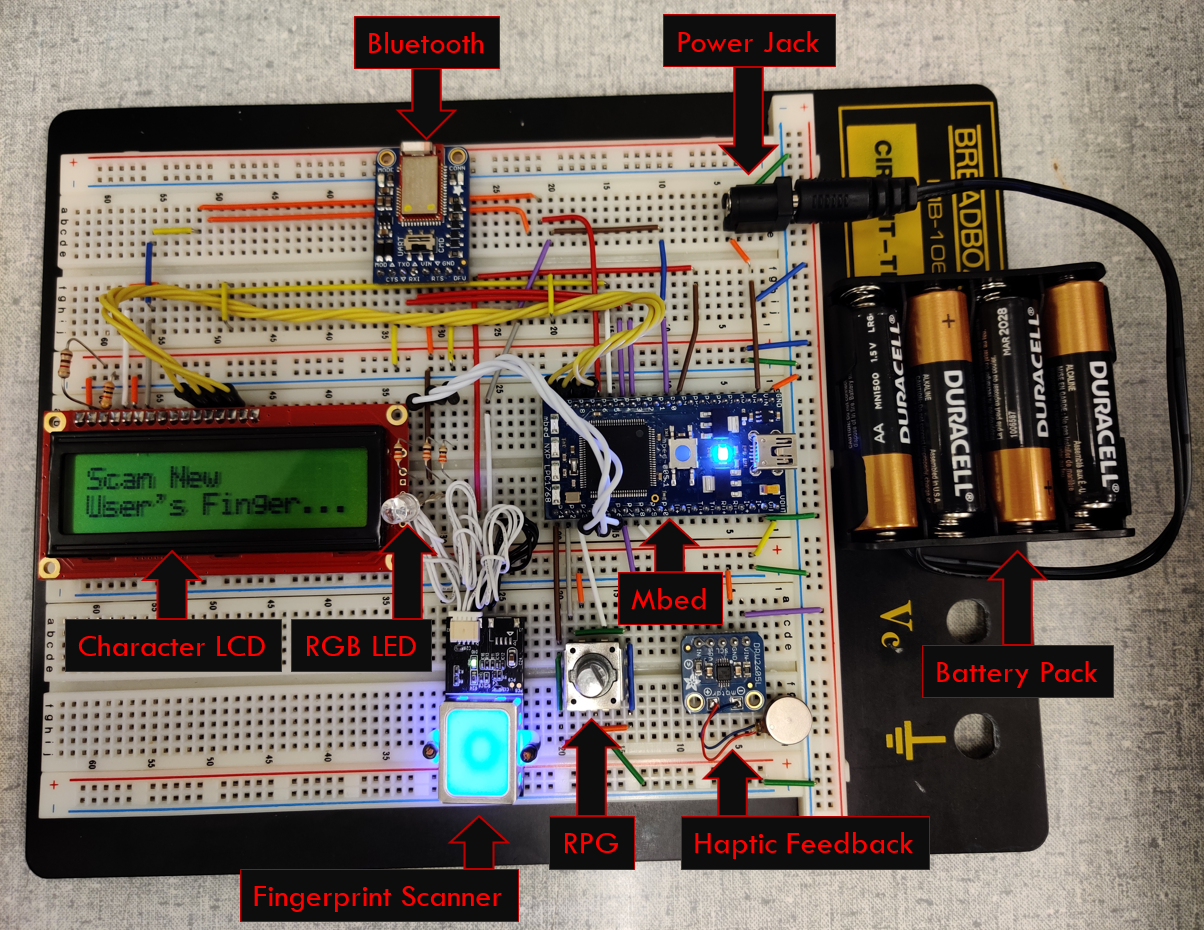
This Bluetooth Notification device is meant to be a prototype of a wearable which is able to securely approve/decline push notifications from a smartphone with a built-in fingerprint scanner. There are currently no mainstream products on the market (as of early Dec. 2019) which provide such functionality. Such a device could be utilized to securely make decisions on time-sensitive actions like stock-trading or two-factor authentication.
Included Parts
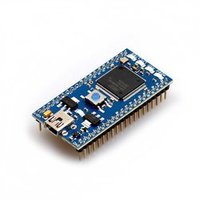
Mbed LPC1768: Used to support all the pins for the other modules
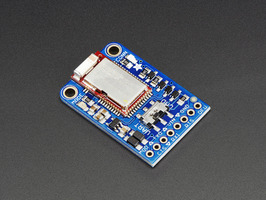
Adafruit Bluefruit BLE: To connect to a Bluetooth connected device with internet capabilities
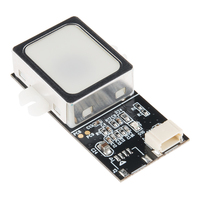
Fingerprint Scanner: Quick and secure authentication by scanning the user’s fingerprint
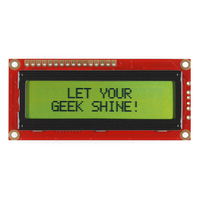
Basic 16x2 Character LCD: Lower power consumption than the newer uLCD displays
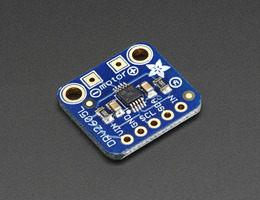
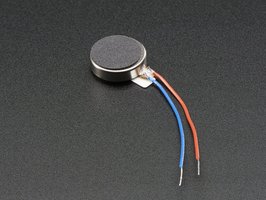
Haptic Feedback Motor: Alert the wearer of an incoming notification by a quick, short vibration from the motor module
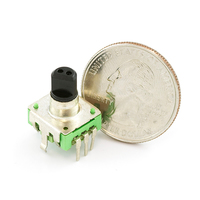
RPG (Rotary Encoder): Used to navigate and select from the menu display options on the LCD
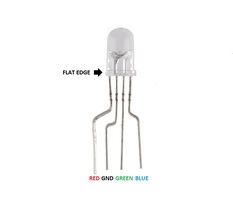
RGB LED: Visually alerts the user of a new notification by blinking purple. The LED also turns green whenever the user’s fingerprint is successfully verified, and it displays red if the fingerprint is not recognized.
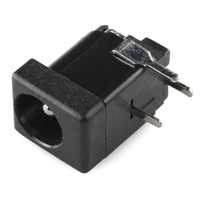
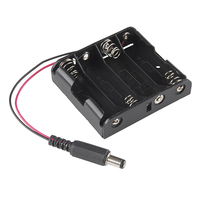
External Battery Holder: Used to power the device while remaining portable
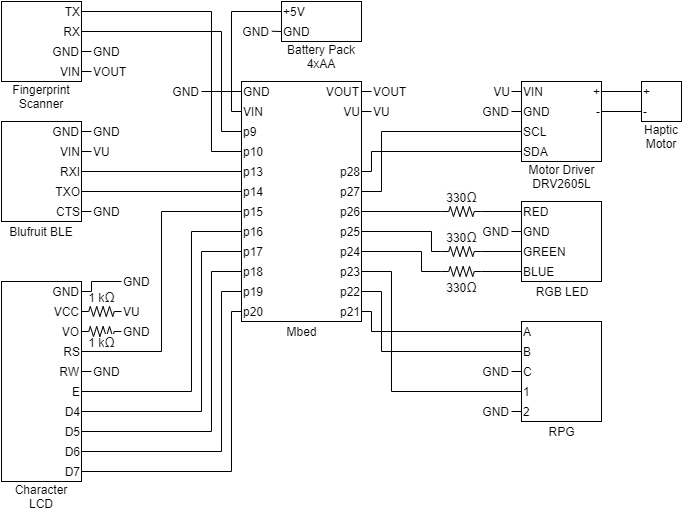
Wiring
Description
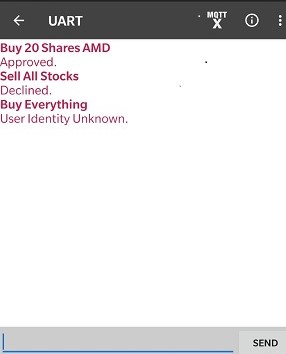
The device is be able to receive notifications from a smartphone over Bluetooth using UART, which is displayed on a basic character LCD. Notifications are then approved or declined and translated into an appropriate response back to the phone. A rotary pulse generator is used to scroll through menu items and select options. A fingerprint scanner (GT-511C3) performs identity verification to add new users, delete other users, or send responses back to the phone. The design also includes a haptic feedback motor for alerts along with a color-coded RGB LED to provide an additional visual indication for a pending notification. All powered by Mbed.
Demo
Libraries
To drive the 16x2 Basic Character LCD:
Import libraryTextLCD
TextLCD library for controlling various LCD panels based on the HD44780 4-bit interface
Last commit 02 Jan 2014 by Simon Ford
To program the haptic feedback driver and motor:
Import libraryDRV2605
Basic I2C Driver for the TI DRV2605 Haptic Driver. Currently only supports Open-Loop ERM operation using internal Immersion TouchSense 2200 software/library, although user can use the Read/Write Byte methods to manually set registers and control the device.
Last commit 21 Oct 2015 by Bryce Williams
To navigate menus with Rotary Pulse Generator:
To color and power the RGB LED:
Import libraryRGBLED
Example code taken from Wiki page: https://os.mbed.com/users/4180_1/notebook/rgb-leds/
Last commit 03 Dec 2019 by Austin Terrell
To use and configure the GT511C3 fingerprint scanner:
Import libraryGT511C3
Fork of library forked by beanmachine44, which was originally written by tosihisa
Last commit 03 Dec 2019 by Austin Terrell
Past 4180 project for a basic menu system on the 16x2 Basic Character LCD:
Import libraryMenu
Menu originally written by pyeh9 with some streamlining
Last commit 03 Dec 2019 by Austin Terrell
Source Code
Import programBluetoothNotificationWithFingerprint
Demo of Bluetooth Notification (with Fingerprint Approval)
Last commit 03 Dec 2019 by Austin Terrell
include the mbed library with this snippet
#include "mbed.h"
#include "GT511C3.hpp"
#include "TextLCD.h"
#include "DRV2605.h"
#include "RGBLED.h"
#include "Menu.h"
#include "Selection.h"
#include "Navigator.h"
using namespace std;
// Devices
GT511C3 scanner(p9,p10);
TextLCD lcd(p15, p16, p17, p18, p19, p20, TextLCD::LCD16x2);
RPG rpg(p21,p22,p23);
RGBLed rgb(p24,p25,p26);
DRV2605 haptics(p28, p27);
Serial blue(p13, p14);
// Globals
Navigator *navPtr;
Menu mainMenu("1");
Menu notificationsMenu("2");
Menu settingsMenu("2");
Menu notification("3");
char text[16];
char *textPtr = text;
int userID = 1;
bool notificationPresent = false;
bool led = false;
Ticker t;
// Prototypes
void receive();
void print(char *msg);
int progress(int status, char *msg);
void refreshMenu();
void gotoMainMenu();
bool verifyUser();
void approve();
void decline();
void enroll();
void deleteUsers();
void blinker();
int main()
{
// Locals
unsigned char data[498]; // Fingerprint template
/* DEVICE SETUP */
// Setup haptic feedback
haptics.init(3.3);
haptics.load_waveform_sequence(45,65);
haptics.play();
while(haptics.i2cReadByte(GO));
// Configure Bluetooth
blue.baud(9600);
blue.attach(&receive);
// Start blinker
t.attach(&blinker, 0.4);
/* MENU SETUP */
// Make menus
notificationsMenu.add(Selection(NULL, &mainMenu, " None..."));
// Build settings menu
settingsMenu.add(Selection(&enroll, NULL, " Enroll User"));
settingsMenu.add(Selection(&deleteUsers, NULL, " Delete Users"));
settingsMenu.add(Selection(NULL, &mainMenu, " Main Menu"));
// Build main Menu
mainMenu.add(Selection(NULL, ¬ificationsMenu, " Notification"));
mainMenu.add(Selection(NULL, &settingsMenu, " Settings"));
// Add notification options
notification.add(Selection(&approve, NULL, " Approve"));
notification.add(Selection(&decline, NULL, " Decline"));
notification.add(Selection(NULL, &mainMenu, " Cancel"));
// Build navigator to browse menus
Navigator navigator(&mainMenu, rpg, &lcd);
navPtr = &navigator;
/* FINGERPRINT SCANNER SETUP */
// Start fingerprint scanner
if(scanner.Open() != 0) {
lcd.cls();
lcd.printf("Fingerprint Scanner FAILED.\n\r");
exit(0);
}
// Deletes All Fingerprints enrolled in the database
scanner.DeleteAllIDs();
// Turn on scanner
scanner.CmosLed(1);
// Add inital user
print("Scan New\nUser's Finger...");
scanner.WaitPress(1);
scanner.Enroll(-1, progress);
scanner.RecvData(data, 498);
scanner.SetTemplate(userID, data, 498);
// Turn off scanner
scanner.CmosLed(0);
// Show menu
refreshMenu();
// Poll navigator for menu
while(1) {
navigator.poll();
}
}
// Reads bluetooth and posts notification
void receive()
{
// Locals
int i = 1;
// Make first char a space
memset(text, 0, sizeof(text));
text[0] = ' ';
// Read serial from bluetooth
while(blue.readable() && (i < 15)) {
text[i] += blue.getc();
i++;
wait(0.1);
}
text[i] = '\0'; // Null terminate
// Post notification
notificationsMenu.selections[0].childMenu = ¬ification;
notificationsMenu.selections[0].selText = text;
// Show notificaiton for a couple seconds
lcd.cls();
lcd.locate(0,0);
lcd.printf("%s\n", text);
rgb.write(0.5, 0.0, 0.5);
haptics.play();
wait(2);
refreshMenu();
notificationPresent = true;
}
// Print message to LCD
void print(char *msg)
{
lcd.cls();
lcd.printf("%s\n", msg);
}
// Prints enrollment progress
int progress(int status, char *msg)
{
lcd.cls();
lcd.printf("%s\n", msg);
return 0;
}
// Re-display menu
void refreshMenu()
{
navPtr->printMenu();
navPtr->printCursor();
}
// Go to main menu
void gotoMainMenu()
{
navPtr->activeMenu = ¬ificationsMenu;
navPtr->bottom = navPtr->activeMenu->selections.size();
navPtr->cursorPos = 0;
navPtr->cursorLine = 1;
navPtr->printMenu();
navPtr->printCursor();
}
// Read finger and verify identity
bool verifyUser()
{
// Locals
int attempts = 0;
// Turn on scanner
scanner.CmosLed(1);
// Allow 3 attempts
while (attempts < 3) {
print("Please Verify\nIdentity...");
scanner.WaitPress(1);
scanner.Capture(1);
// If finger in database
if (scanner.Identify() != -1)
{
print("Thank You.\nRemove Finger...");
if (scanner.IsPress()) scanner.WaitPress(0);
// Turn off
scanner.CmosLed(0);
return true;
}
else
{
print("User Unknown.\nRemove Finger...");
if (scanner.IsPress()) scanner.WaitPress(0);
attempts++;
}
}
// Turn off
scanner.CmosLed(0);
return false;
}
// Approve notification
void approve()
{
// Turn off blinker
notificationPresent = false;
// If identity checks-out
if (verifyUser())
{
// Send approval
blue.puts("Approved.\n");
// Feedback
print("Approved.\nThank You.");
rgb.write(0.0, 1.0, 0.0);
wait(2);
rgb.write(0.0, 0.0, 0.0);
}
else
{
// Send error
blue.puts("User Identity Unknown.\n");
// Feedback
print("Error.\nUser Unknown.");
rgb.write(1.0, 0.0, 0.0);
wait(2);
rgb.write(0.0, 0.0, 0.0);
}
// Clear notification
notificationsMenu.selections[0].childMenu = &mainMenu;
notificationsMenu.selections[0].selText = " None...";
gotoMainMenu();
}
// Decline notification
void decline()
{
// Turn off blinker
notificationPresent = false;
// If identity checks-out
if (verifyUser())
{
// Send declination
blue.puts("Declined.\n");
// Feedback
print("Declined.\nThank You.");
rgb.write(0.0, 1.0, 0.0);
wait(2);
rgb.write(0.0, 0.0, 0.0);
}
else
{
// Send error
blue.puts("User Identity Unknown.\n");
// Feedback
print("Error.\nUser Unknown.");
rgb.write(1.0, 0.0, 0.0);
wait(2);
rgb.write(0.0, 0.0, 0.0);
}
// Clear notification
notificationsMenu.selections[0].childMenu = &mainMenu;
notificationsMenu.selections[0].selText = " None...";
gotoMainMenu();
}
// Add a new user to the scanner
void enroll()
{
unsigned char data[498]; // Fingerprint template
if (verifyUser()) {
// New user
userID++;
// Turn on scanner
scanner.CmosLed(1);
// Add user
print("Scan New\nUser's Finger...");
scanner.WaitPress(1);
scanner.Enroll(-1, progress);
scanner.RecvData(data, 498);
scanner.SetTemplate(userID, data, 498);
// Turn off scanner
scanner.CmosLed(0);
}
refreshMenu();
}
// Remove all users from scanner
void deleteUsers()
{
unsigned char data[498]; // Fingerprint template
if (verifyUser()) {
// Reset user IDs
userID = 1;
// Deletes All Fingerprints enrolled in the database
scanner.DeleteAllIDs();
// Turn on scanner
scanner.CmosLed(1);
// Add inital user
print("Scan New\nUser's Finger...");
scanner.WaitPress(1);
scanner.Enroll(-1, progress);
scanner.RecvData(data, 498);
scanner.SetTemplate(userID, data, 498);
// Turn off scanner
scanner.CmosLed(0);
}
refreshMenu();
}
// Persistent notification led
void blinker()
{
// If there is a notification
if (notificationPresent) {
// If led is not on
if (!led) {
rgb.write(0.5, 0.0, 0.5);
}
else {
rgb.write(0.0, 0.0, 0.0);
}
led = !led;
}
}
Please log in to post comments.
Bluetooth Notification (with Fingerprint Approval)
This Bluetooth Notification device is meant to be a prototype of a wearable which is able to securely approve/decline push notifications from a smartphone with a built-in fingerprint scanner for authentication, RPG to navigate, and haptic feedback and LED for alerts.
16x2 LCD, bluetooth, Fingerprint Scanner, Haptic Feedback Motor, notification, RPG
Page owner: Jacob Hancock
Created 23 Nov 2019.
Last updated 04 Dec 2019