Important changes to repositories hosted on mbed.com
Mbed hosted mercurial repositories are deprecated and are due to be permanently deleted in July 2026.
To keep a copy of this software download the repository Zip archive or clone locally using Mercurial.
It is also possible to export all your personal repositories from the account settings page.
Dependencies: 4DGL-uLCD-SE mbed
Fork of
uVGAII_demo
by  jim hamblen
Homepage
The uLCD-144-G2 from 4D Systems is a low-cost ($25 qty. 100) smart color LCD display board with a serial interface. They are also available from Sparkfun. It looks like a nice alternative to the now hard to find Nokia 6100 LCD breakout boards. It has a TTL level serial interface and a reset pin. An optional uSD card inserted in the display module's socket can be used to load fonts, images, and play videos in response to serial commands. It has a built in system font and the driver supports the use of printfs, so it is very easy to use and hookup. Here is the wiring for the demo program:
| mbed | uLCD Header | uLCD cable |
|---|---|---|
| 5V=VU | 5V | 5V |
| Gnd | Gnd | Gnd |
| TX=P9 | RX | TX |
| RX=P10 | TX | RX |
| P11 | Reset | Reset |
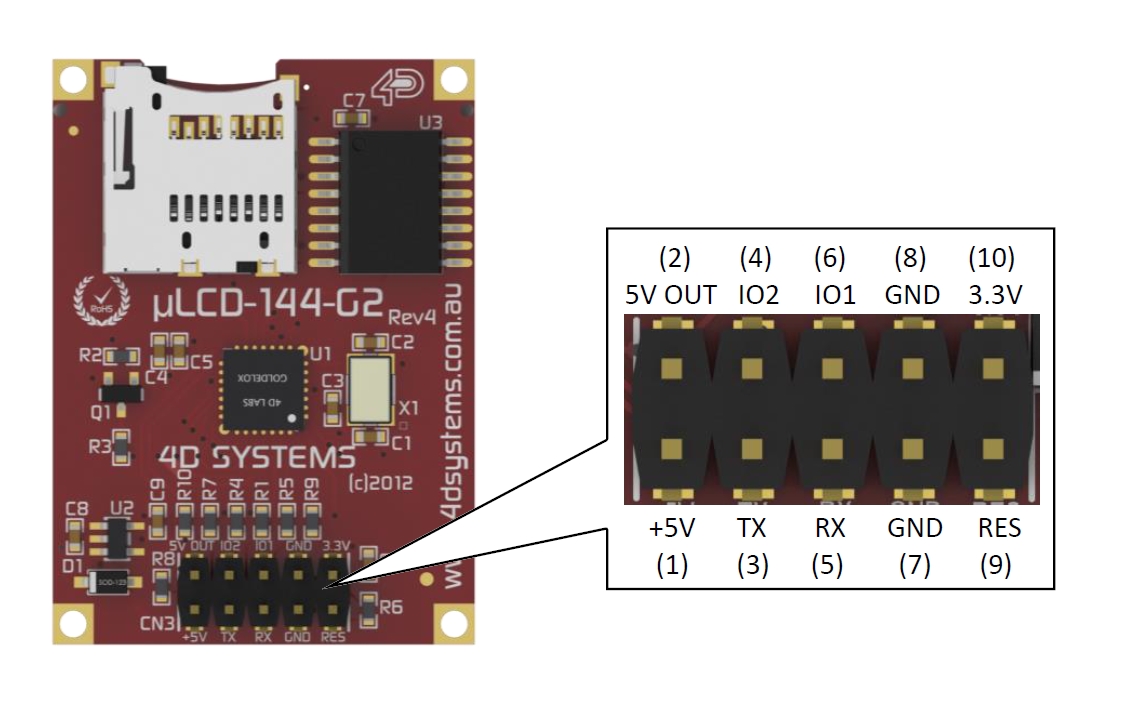
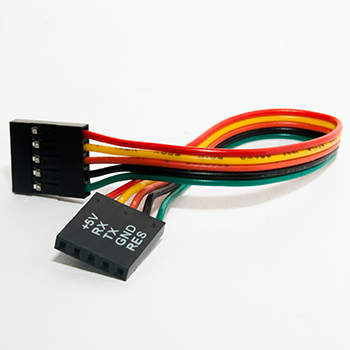
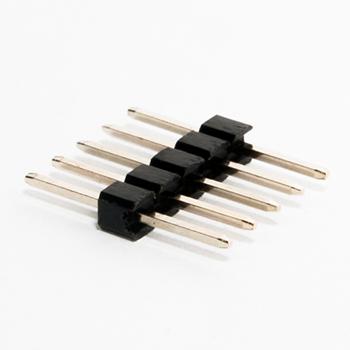
In the drawing above, the pins are labeled from the LCDs perspective with TX and RX pins. Mbed RX goes to LCD TX and mbed TX goes to LCD RX. So mbed TX goes to the middle pin on the connector which is the uVGA II RX pin. The included cable seen below is plugged into the bottom row of pins and plugged into a breadboard using the male header pins for hookup. Note that on the cable silkscreen seen in the image below RX and TX have been swapped to indicate the connections needed to the microprocessor pins.
// uLCD-144-G2 basic text demo program for uLCD-4GL LCD driver library
//
#include "mbed.h"
#include "uLCD_4DGL.h"

uLCD_4DGL uLCD(p9,p10,p11); // serial tx, serial rx, reset pin;

int main()
{
    // basic printf demo = 16 by 18 characters on screen
    uLCD.printf("\nHello uLCD World\n"); //Default Green on black text
    uLCD.printf("\n  Starting Demo...");
    uLCD.text_width(4); //4X size text
    uLCD.text_height(4);
    uLCD.color(RED);
    for (int i=10; i>=0; --i) {
        uLCD.locate(1,2);
        uLCD.printf("%2D",i);
        wait(.5);
    }
}
Video of longer demo code with both text and graphics. A micro SD card on the LCD module is required for the images and videos seen at the end of the video. The display is actually a bit more colorful and clearer than it appears in the video. Demos include text using printfs, basic graphics commands, a simple bouncing ball animation, computing the Mandelbrot set pixel by pixel, a Plasma wave BLIT, a JPEG image, and a *.wmv video clip.
See https://mbed.org/users/4180_1/notebook/ulcd-144-g2-128-by-128-color-lcd/ for complete info, wiring, breadboard hints on avoiding the use of the cable, and how to work with fonts, images, and videos on the uSD card