You are viewing an older revision! See the latest version
SmartHome
Einführung
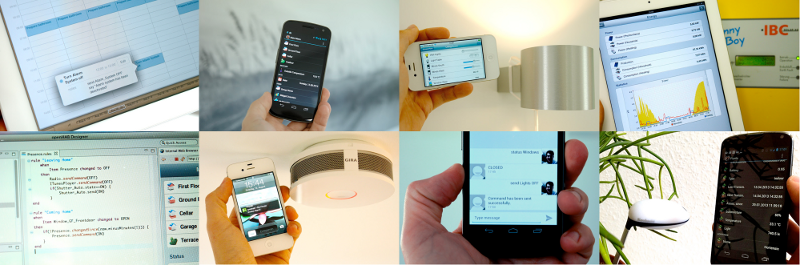
openHAB (open Home Automation Bus) ist eine in Java entwickelte Softwarelösung, die Komponenten zur Gebäudeautomatisierung, Hersteller- und Protokollneutral in einer Plattform miteinander verbindet. Dadurch läuft openHAB Betriebssystemunabhängig und ist durch Hinzufügen weiterer Bindings um zusätzliche Technologien/Protokolle erweiterbar.
Entwickelt wird openHAB unter der Eclipse Public License und ist Open Source. Als Userinterfaces werden Webbrowser, Android- oder Apple iOS-Systeme unterstützt.
OpenHAB 2 stellt einen parallelen Entwicklungszweig dar, der vorwiegend den Fokus auf den Benutzerkomfort der openHAB-Konfiguration richtet. Ein weiterer Aspekt ist die Optimierung von openHAB auf Embedded Systems.
Weitere Merkmale
- Sitemap - openHAB hat ein generisch konfigurierbares User Interface (UI), die sogenannte Sitemap. Die Sitemap ist eine Baumstruktur von Widgets, die die verschiedenen Seiten und den Inhalt des UI definieren. Widgets können Items sein, die den aktuellen Status darstellen oder auch Schalter oder Grafiken.
- Persistence - Der Persistence Service ermöglicht das Speichern von Status der einzelnen Items. Somit können Verläufe visualisiert, historische Daten abgefragt oder bei einem Systemneustart der Status wiederhergestellt werden.
- Regeln - Zum Erstellen von Automatisierungslogiken kommen Regeln zum Einsatz.
- Bindings - Vorbereitete Schnittstellen zu IoT Geräten u.a. auch der IoTKit SMD Shield.
Programme
Import programRPCHTTPServerSmartHome
mbed RPC Server - Eclipse SmartHome Variante
Last commit 28 Aug 2015 by  smd.iotkit2.ch
Implementierungsdetails mbed
Definition der Geräte in main
...
    // LED's
    RPC::construct<RpcPwmOut, PinName, const char*>(D10, "led1");
    RPC::construct<RpcPwmOut, PinName, const char*>(D11, "led2");
    RPC::construct<RpcPwmOut, PinName, const char*>(D12, "led3");
    RPC::construct<RpcPwmOut, PinName, const char*>(D13, "led4");
    RPC::construct<RpcLEDStrip, PinName, PinName, PinName, const char*>( D5, D6, D7, "ledstrip");

    // Sensoren
    RPC::construct<RpcAnalogIn, PinName, const char*>(A0, "poti");
    RPC::construct<RpcAnalogIn, PinName, const char*>(A1, "light");
    RPC::construct<RpcAnalogIn, PinName, const char*>(A2, "hall");
    RPC::construct<RpcTMP75, PinName, PinName, const char*>(D14, D15, "temp");

    // Aktoren
    RPC::construct<RpcMotor, PinName, PinName, PinName, const char*>( D3, D2, D4, "motor1" );
    RPC::construct<RpcStepper, const char*>( "stepper1" );
    RPC::construct<RpcServo, PinName, const char*>( D9, "servo1" ); // muss als letzer Eintrag kommen, ansonsten wird Signal gestoert
...
Beispielhafte Implementierung eines RPC Templates anhand Motor in RpcClassesExt.h
class RpcMotor : public RPC
{
public:
    RpcMotor(PinName a0, PinName a1, PinName a2, const char *name=NULL) : RPC(name), o(a0, a1, a2) {}

    void up  () { o.speed(  0.5f ); }
    void down() { o.speed( -0.5f ); }
    void stop() { o.speed(  0.0f ); }

    virtual const struct rpc_method *get_rpc_methods()
    {
        static const rpc_method rpc_methods[] =
        {
            {"up", rpc_method_caller<RpcMotor, &RpcMotor::up>},
            {"down", rpc_method_caller<RpcMotor, &RpcMotor::down>},
            {"stop", rpc_method_caller<RpcMotor, &RpcMotor::stop>},
            RPC_METHOD_SUPER(RPC)
        };
        return rpc_methods;
    }
    static struct rpc_class *get_rpc_class()
    {
        static const rpc_function funcs[] =
        {
            {"new", rpc_function_caller<const char*, PinName, PinName, PinName, const char*, &RPC::construct<RpcMotor, PinName, PinName, PinName, const char*> >},
            RPC_METHOD_END
        };
        static rpc_class c = {"RpcMotor", funcs, NULL};
        return &c;
    }
private:
    Motor o;
};
Implementierungdetails SmartHome (Bindings)
Bridge - Verbindungsdetails mit IP-Adresse für alle Geräte auf dem IotKit SMD Shield aus ESH-INF/bridge.xml
	<bridge-type id="bridge">

		<label>IoTKit SMD Shield Ethernet gateway</label>
		<description>This bridge represents the IoTKit SMD Shield Ethernet
			gateway.
		</description>

		<config-description>
			<parameter name="address" type="text" required="true">
				<label>IP address</label>
				<description>IP address IoTKit SMD Shield
				</description>
			</parameter>
		</config-description>

	</bridge-type>
Definition von Geräten, sogenannten Channels aus ESH-INF/thing-types.xml
    <thing-type id="actors">
        <supported-bridge-type-refs>
            <bridge-type-ref id="bridge" />
        </supported-bridge-type-refs>

        <label>IoTKit SMD Shield Actors</label>
        <description>Actors on IoTKit Shield</description>

        <channels>
            <channel id="motor1" typeId="motor" />
            <channel id="servo1" typeId="servo" />
            <channel id="stepper1" typeId="stepper" />
        </channels>
    </thing-type>

    <channel-type id="motor">
        <item-type>Rollershutter</item-type>
        <label>Motor</label>
        <description>Motor Speed</description>
        <category>Blinds</category>
        <state readOnly="false" pattern="%.2f">
        </state>
    </channel-type>
Implementierung Handler (in Java) aus IoTKitActorsHandler
    public void handleCommand(ChannelUID channelUID, Command command)
    {
        // Up / Down Button
        if  ( command instanceof UpDownType )
            getIoTKitBridge().func( channelUID.getId(), command.toString().toLowerCase() );
        // Stop Button (bei Up/Down)
        else if ( command instanceof StopMoveType )
            getIoTKitBridge().func( channelUID.getId(), command.toString().toLowerCase() );
        else
            logger.debug( "Command {} is not supported for channel: {}", command, channelUID.getId() );
    }
Die eigentlichen HTTP Aufruf, werden an die Bridge (IoTKitBridgeHandler.java) weitergeleitet:
    public void func( String thing, String func )
    {
        String urlString = "http://" + addr + "/rpc/" + thing + "/" + func;
        try
        {
            URL url = new URL( urlString );
            URLConnection connection = url.openConnection();
            // braucht explizit das lesen des RC Wertes, connect alleine genuegt nicht!
            IOUtils.toString( connection.getInputStream() );
        }
        catch (MalformedURLException e)
        {
            logger.debug( "Constructed url '{}' is not valid: {}", urlString, e.getMessage() );
        }
        catch (IOException e)
        {
            logger.error( "Error accessing url '{}' : {} ", urlString, e.getMessage() );
        }
    }