Important changes to repositories hosted on mbed.com
Mbed hosted mercurial repositories are deprecated and are due to be permanently deleted in July 2026.
To keep a copy of this software download the repository Zip archive or clone locally using Mercurial.
It is also possible to export all your personal repositories from the account settings page.
Dependencies: FXAS21002 FXOS8700Q
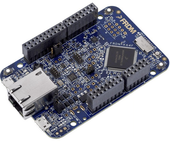
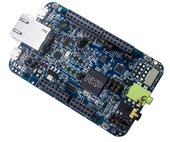
This example is known to work great on the following platforms:
- FRDM-K64F - onboard Ethernet and onboard SD card holder.
- FRDM-K66F - onboard Ethernet and onboard SD card holder.
Follow the Quick-Start instructions: https://cloud.mbed.com/quick-start
Example functionality
This example showcases the following device functionality:
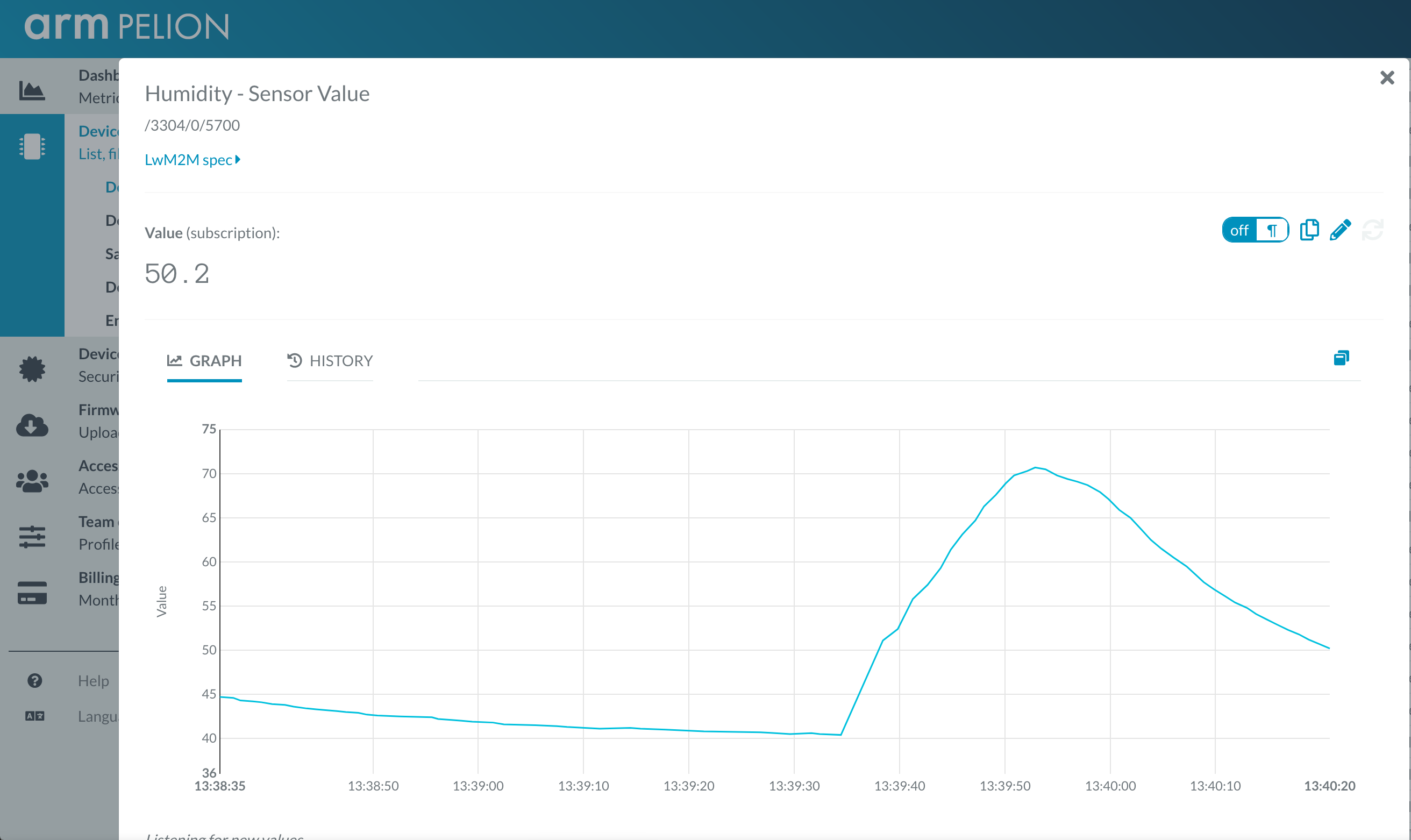
- Read onboard FXOS8700Q accelerometer and magnetometer, and report the values as Pelion LWM2M resources (see image below).
- (FRDM-K66F only) Read onboard FXAS21002 gyroscope and report the values as Pelion LWM2M resources.
- On user button click, increment Pelion LWM2M button resource.
- Allow the user to change the state of the board LED from Pelion LWM2M led_state resource and PUT request.
Use this example with Mbed CLI
1. Import the application into your desktop:
mbed import https://os.mbed.com/teams/NXP/code/pelion-example-frdm

cd pelion-example-frdm
2. Install the CLOUD_SDK_API_KEY
mbed config -G CLOUD_SDK_API_KEY <PELION_DM_API_KEY>
For instructions on how to generate your API key, please see the documentation.
3. Initialize firmware credentials (done once per repository). You can use the following command:
mbed dm init -d "<your company name in Pelion DM>" --model-name "<product model identifier>" -q --force
If above command do not work for your Mbed CLI, please consider upgrading Mbed CLI to version 1.9.x or above.
4. Compile and program:
mbed compile -t <toolchain> -m <TARGET_BOARD>
(supported toolchains : GCC_ARM / ARM / IAR)
5. You can connect on a virtual terminal/COM port to the platform using:
mbed sterm -b 115200
This should give you an output similar to:
[BOOT] Mbed Bootloader
[BOOT] ARM: 00000000000000000000
[BOOT] OEM: 00000000000000000000
[BOOT] Layout: 0 8374
[BOOT] Active firmware integrity check:
[BOOT] SHA256: 411F422DE8FF545E2D3C373E87D5328162A129314A655AEC32B9A167DE29177E
[BOOT] Version: 1553606618
[BOOT] Slot 0 is empty
[BOOT] Active firmware up-to-date
[BOOT] Application's start address: 0x10400
[BOOT] Application's jump address: 0x112C1
[BOOT] Application's stack address: 0x20030000
[BOOT] Forwarding to application...


Starting Simple Pelion Device Management Client example
You can hold the user button during boot to format the storage and change the device identity.

Sensors configuration:
FXOS8700Q accelerometer = 0xC7
FXOS8700Q magnetometer  = 0xC7
FXAS21002 gyroscope     = 0xB7

Connecting to the network using the default network interface...
Connected to the network successfully. IP address: 10.2.202.65
Initializing Pelion Device Management Client...
Initialized Pelion Device Management Client. Registering...
Press the user button to increment the LwM2M resource value...

FXOS8700Q mag:    0.312 x,   0.039 y,  -1.625 z [gauss]
FXOS8700Q acc:    0.139 x,  -0.123 y,   4.260 z [g]
FXAS21002 gryo:  13.089 x,  13.089 y,  13.089 z [dps]
Diff: main.cpp
- Revision:
- 1:42d51cf7cebe
- Parent:
- 0:a9d53048f0b6
- Child:
- 2:fba2c7066355
--- a/main.cpp	Mon Mar 25 14:58:08 2019 +0000
+++ b/main.cpp	Mon Mar 25 17:18:30 2019 +0000
@@ -21,6 +21,14 @@
 #include "simple-mbed-cloud-client.h"
 #include "FATFileSystem.h"
 #include "LittleFileSystem.h"
+#include "FXOS8700Q.h"
+
+I2C sen_i2c(PTE25, PTE24);
+FXOS8700QAccelerometer sen_acc(sen_i2c, FXOS8700CQ_SLAVE_ADDR1);    // Configured for the FRDM-K64F with onboard sensors
+FXOS8700QMagnetometer sen_mag(sen_i2c, FXOS8700CQ_SLAVE_ADDR1);
+
+#define SENSORS_POLL_INTERVAL 1.0
+#define SEND_ALL_SENSORS

 // Default network interface object. Don't forget to change the WiFi SSID/password in mbed_app.json if you're using WiFi.
 NetworkInterface *net = NetworkInterface::get_default_instance();
@@ -47,11 +55,22 @@
 MbedCloudClientResource *button_res;
 MbedCloudClientResource *led_res;
 MbedCloudClientResource *post_res;
+#ifdef SEND_ALL_SENSORS
+MbedCloudClientResource *res_magnometer_x;
+MbedCloudClientResource *res_magnometer_y;
+MbedCloudClientResource *res_magnometer_z;
+MbedCloudClientResource *res_accelerometer_x;
+MbedCloudClientResource *res_accelerometer_y;
+MbedCloudClientResource *res_accelerometer_z;
+#endif /* SEND_ALL_SENSORS */

 // An event queue is a very useful structure to debounce information between contexts (e.g. ISR and normal threads)
 // This is great because things such as network operations are illegal in ISR, so updating a resource in a button's fall() function is not allowed
 EventQueue eventQueue;

+// When the device is registered, this variable will be used to access various useful information, like device ID etc.
+static const ConnectorClientEndpointInfo* endpointInfo;
+
 /**
  * PUT handler - sets the value of the built-in LED
  * @param resource The resource that triggered the callback
@@ -104,6 +123,50 @@
     printf("Registered to Pelion Device Management. Endpoint Name: %s\n", endpoint->internal_endpoint_name.c_str());
 }

+/**
+ * Initialize sensors
+ */
+void sensors_init() {
+    printf ("\nSensors configuration:\n");
+
+    sen_acc.enable();
+    sen_mag.enable();
+
+    printf("FXOS8700Q accelerometer = 0x%X\n", sen_acc.whoAmI());
+    printf("FXOS8700Q magnetometer  = 0x%X\n", sen_mag.whoAmI());
+
+    printf("\n"); ;
+}
+
+/**
+ * Update sensors and report their values.
+ * This function is called periodically.
+ */
+void sensors_update() {
+    motion_data_counts_t acc_raw, mag_raw;
+
+    printf("                                                             \n");
+
+    sen_acc.getAxis(acc_raw);
+    sen_mag.getAxis(mag_raw);
+
+    printf("FXOS8700Q mag:  %7ld x, %7ld y, %7ld z [mgauss]      \n", mag_raw.x, mag_raw.y, mag_raw.z);
+    printf("FXOS8700Q acc:  %7ld x, %7ld y, %7ld z [mg]          \n", acc_raw.x, acc_raw.y, acc_raw.z);
+
+    printf("\r\033[3A");
+
+    if (endpointInfo) {
+#ifdef SEND_ALL_SENSORS
+        res_magnometer_x->set_value((int)mag_raw.x);
+        res_magnometer_y->set_value((int)mag_raw.y);
+        res_magnometer_z->set_value((int)mag_raw.z);
+        res_accelerometer_x->set_value((int)acc_raw.x);
+        res_accelerometer_y->set_value((int)acc_raw.y);
+        res_accelerometer_z->set_value((int)acc_raw.z);
+#endif /* SEND_ALL_SENSORS */
+    }
+}
+
 int main(void) {
     printf("\nStarting Simple Pelion Device Management Client example\n");

@@ -120,6 +183,8 @@
     }
 #endif /* USE_BUTTON */

+    sensors_init();
+
     // Connect to the Internet (DHCP is expected to be on)
     printf("Connecting to the network using the default network interface...\n");
     net = NetworkInterface::get_default_instance();
@@ -165,16 +230,13 @@
     // Register with Pelion DM
     client.register_and_connect();

-#if USE_BUTTON == 1
     // The button fires on an interrupt context, but debounces it to the eventqueue, so it's safe to do network operations
     button.fall(eventQueue.event(&button_press));
     printf("Press the user button to increment the LwM2M resource value...\n");
-#else
+
     // The timer fires on an interrupt context, but debounces it to the eventqueue, so it's safe to do network operations
     Ticker timer;
-    timer.attach(eventQueue.event(&button_press), 5.0);
-    printf("Simulating button press every 5 seconds...\n");
-#endif /* USE_BUTTON */
+    timer.attach(eventQueue.event(&sensors_update), SENSORS_POLL_INTERVAL);

     // You can easily run the eventQueue in a separate thread if required
     eventQueue.dispatch_forever();