Android Telemetry System
 Ryan Babaie.
0
replies
Ryan Babaie.
0
replies
This project uses an Android phone to send data from a CAN bus to a remote server for data viewing and analysis.
The goal of this project was to replace our current telemetry system (custom PCB with an LTE modem) with a more reliable and extensible phone system. This requires some sort of translation hardware to send data from the car to the phone. For our rev 1, we chose to use an mbed with a basic PCB to develop the concept quickly.
Demonstration
PCB
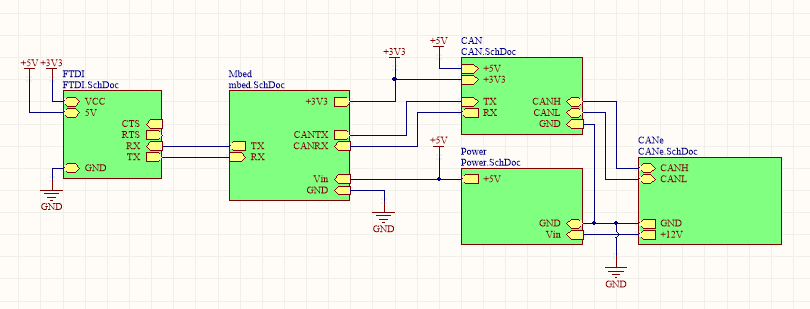
A PCB was made to to attach the mbed to our CAN bus, which uses Ethernet cables to provide 12V power and CAN.
Parts
- RJ45 jack
- 12V to 5V buck converter (to power the mbed/phone)
- CAN transceiver
- FTDI chip (FT232RL)
- Mini USB B jack
- mbed LPC1768
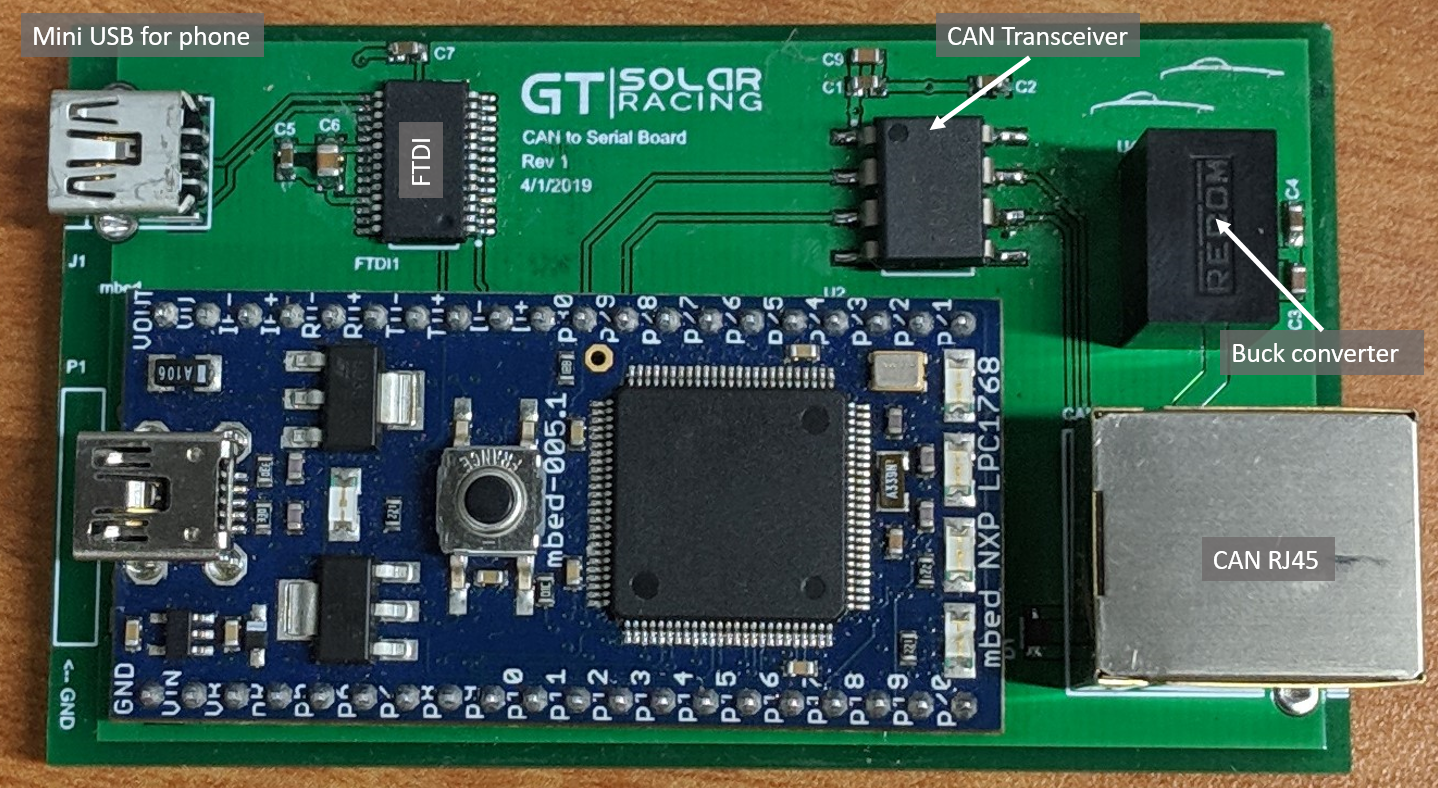
The FTDI chip was intended to be the serial communication to the phone as a USB device and the 5V regulator would charge the phone, but after testing we realized that the USB standard doesn't provide the ability to charge a host in a normal configuration, so rev 1 unfortunately doesn't allow the phone to charge while getting data.
We designed and ordered a rev 2 PCB with a FT312D IC that is supposed to implement Android Accessory mode, which will allow the ability to charge the phone while communicating with it (the IC acts as the host in this case). The PCB did not arrive in time, so we stuck with our original revision
Code
The repository for the mbed-side is found here.
The code for the Android phone is located on GitHub here
Communication
Communication with the phone is done through a bidirectional Serial port at 256kbaud. Our CAN bus currently runs at 125kbps, so 256kbaud is more than enough speed for our needs, but it can be increased in the future if we decide to increase to 500kbps or 1Mbps. This theoretically supports 6,400 messages per second from the car, which is more than enough to handle our car's 200 messages per second utilization.
Sending Data
The mbed uses a CAN interrupt to receive messages from the car and translates them to serial messages that are sent to the phone as they come in.
The messages are sent with a preamble ("GT") so that the state machine on the phone can determine which bytes represent the start of a packet and then receive the proper data in sequence.
CAN Receive Interrupt
void canReceiveInterrupt(void) {
    CANMessage msg;
    msg_t msgObj;

    msgObj.preamble[0] = 'G';
    msgObj.preamble[1] = 'T';
    mainCan.read(msg);
    msgObj.canId = msg.id;
    msgObj.length = msg.len + 2;
    memcpy(msgObj.canData, msg.data, msg.len);
    while(!serial.writeable());

    transmitFrameSerial(&serial, &msgObj);
    debugLED = !debugLED;
}
The function below is what sends the raw bytes of the struct over serial to the phone to be processed.
Message serial transmission function
inline void transmitFrameSerial(Serial *s, const msg_t *obj) {
    uint8_t *endPtr = (uint8_t*)obj->canData + obj->length - 2;

    for (uint8_t *ptr = (uint8_t*)obj; ptr < endPtr; ptr++) {
        s->putc(*ptr);
    }
}
Receiving Messages
We have a system to send messages to our driver on their secondary display by sending a specific CAN frame that the display is looking for. To be able to use that system with our device, we implemented the ability to send arbitrary CAN frames. With this implementation, the phone translates the message that comes in from the server into the set of actual CAN frames to send and then sends them to the mbed.
This can also be used to send any other CAN frame to the car, such as for testing other systems (like the motor controllers, for example).
Receive interrupt with state machine
ReceiverStateMachine stateMachine;
void phoneReceiveInterrupt(void) {
    while (serial.readable()) {
        stateMachine.buffer[stateMachine.bufferPtr] = serial.getc();

        switch(stateMachine.state) {
            case RECEIVER_STATE_IDLE:
            if (stateMachine.buffer[stateMachine.bufferPtr] == 'G') {
                stateMachine.state = RECEIVER_STATE_G;
            }
            msgLED = 0;
            break;
            case RECEIVER_STATE_G:
            if (stateMachine.buffer[stateMachine.bufferPtr] == 'T') {
                stateMachine.state = RECEIVER_STATE_T;
            } else {
                stateMachine.state = RECEIVER_STATE_IDLE;
            }
            break;
            case RECEIVER_STATE_T:
            stateMachine.state = RECEIVER_STATE_RECEIVING_BYTES;
            stateMachine.remainingBytes = stateMachine.buffer[stateMachine.bufferPtr];
            stateMachine.messageLength = 0;
            msgLED = 1;
            break;
            case RECEIVER_STATE_RECEIVING_BYTES:
            stateMachine.messageLength++;
            stateMachine.remainingBytes--;
            if (stateMachine.remainingBytes <= 0) {
                processMessage(&stateMachine);
                stateMachine.state = RECEIVER_STATE_IDLE;
                stateMachine.bufferPtr = 0;
                msgLED = 0;
            }
            break;
        }
        stateMachine.bufferPtr++;
        if (stateMachine.bufferPtr >= 40) {
            stateMachine.bufferPtr = 0;
            stateMachine.state = RECEIVER_STATE_IDLE;
        }
    }
}
The CAN frames are sent from the phone to the mbed with the same "GT" preamble as the other direction, and this state machine parses them and then calls the processing function, which then separates the data out and sends it on the bus.
Data
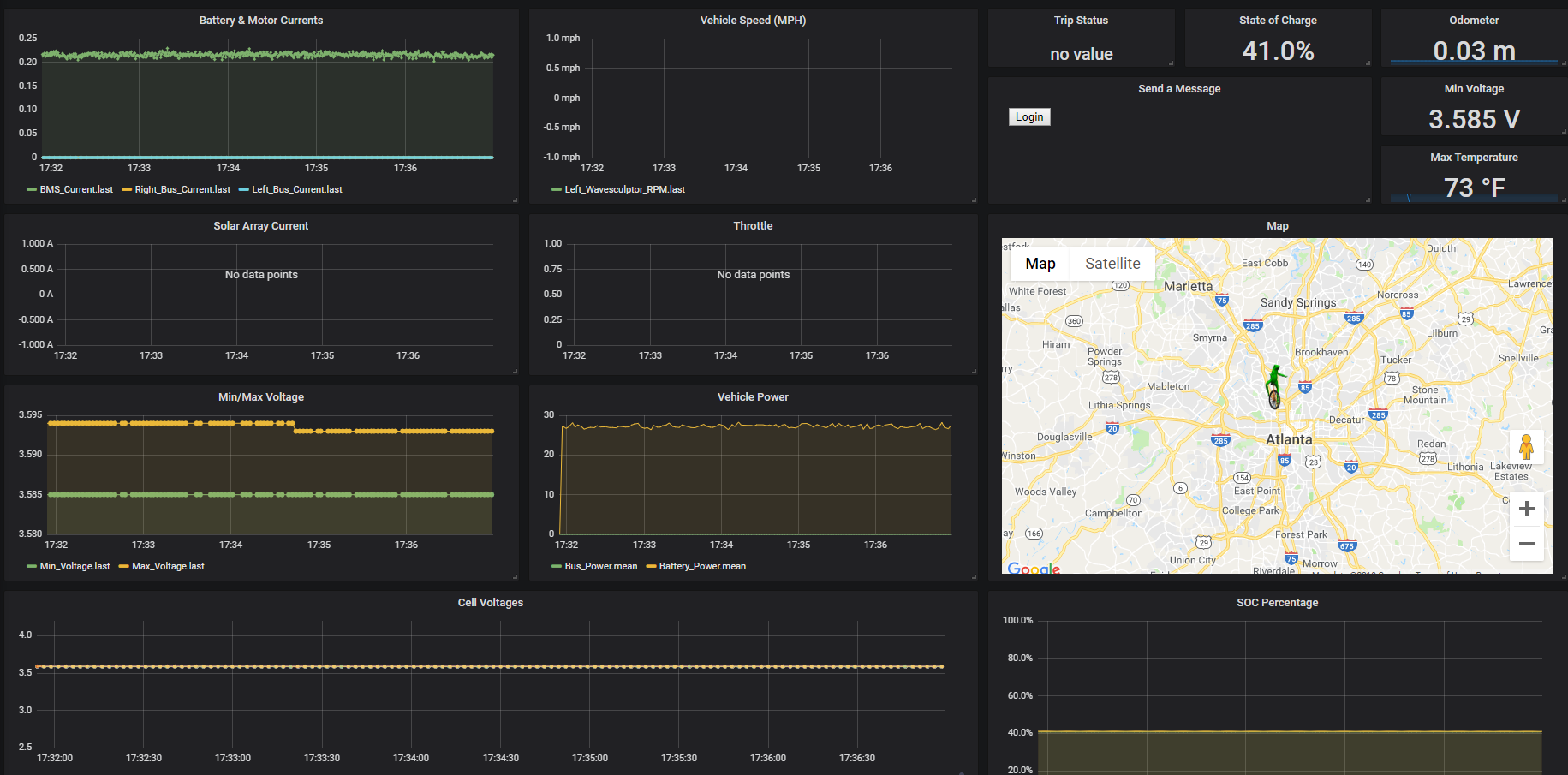
We have a Grafana front-end that allows us to view the car's data in real-time (and after-the-fact).
Below is an image of our strategy dashboard showing some data of the car resting in our shop space.
Logging
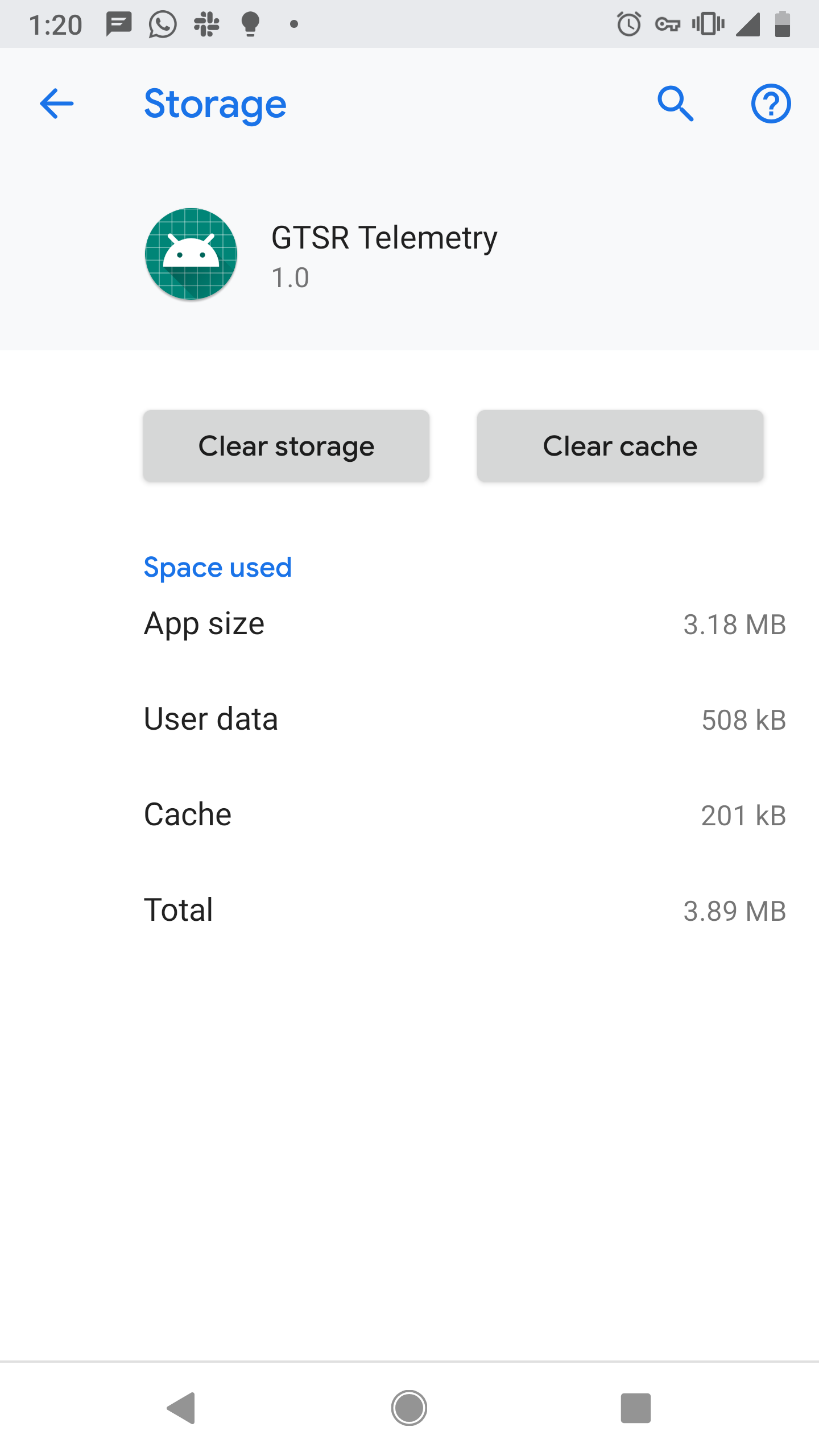
Below is a screenshot from the phone showing that the log is being saved (508kB file).
Steps forward
- Add code to read the Bluetooth LE TPMS sensors on each wheel (currently have a protoboard setup for reading them)
- Test the Rev 2 PCB with Android Accessory mode to see verify that the phone charges
- Create a Rev 3 PCB with our standard microcontroller to maintain similarity of systems
Please log in to post comments.
Android Telemetry System
ECE4180 final project by Ryan Babaie and Jared Duncan
Page owner: Ryan Babaie
Created 28 Apr 2019.
Last updated 29 Apr 2019