You are viewing an older revision! See the latest version
Variable Motor Speed with Force Sensor
Overview
This project demonstrates the use of Flexible Force Sensor to control speed of a motor linearly with force applied. As force applied increases, the speed of motor increases. In addition to this, an RGB LED is used to depict the speed range of motor. Also, the speed scaled to 0.0-1.0 is displayed on LCD.
FlexiForce Sensor
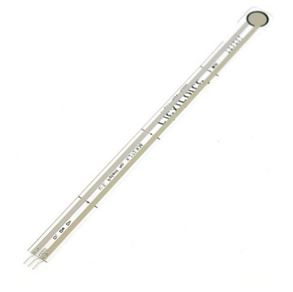
The FlexiForce sensor acts as a force sensing resistor in an electrical circuit. When the force sensor is unloaded, its resistance is very high. When a force is applied to the sensor, this resistance decreases. The resistance can be measured by a multimeter, then applying a force to the sensing area.
This is a piezoresistive force sensor. The harder you press, the lower the sensor's resistance. Pressing hard, the resistance changes from infinite to 300k. The sensor itself is thin and flexible, but the resistance does not change while being flexed. Resistance changes only when pressure is applied to the round area at the end of the sensor. It can be used as a presence sensor (someone standing), weight sensor, pressure sensor (impact testing), etc.
The overall length is about 8.5". Sensor comes with 0.1" spaced, reinforced, breadboard friendly connector. This sensor ranges from 0 to 100lbs of pressure in the mega-ohm range.
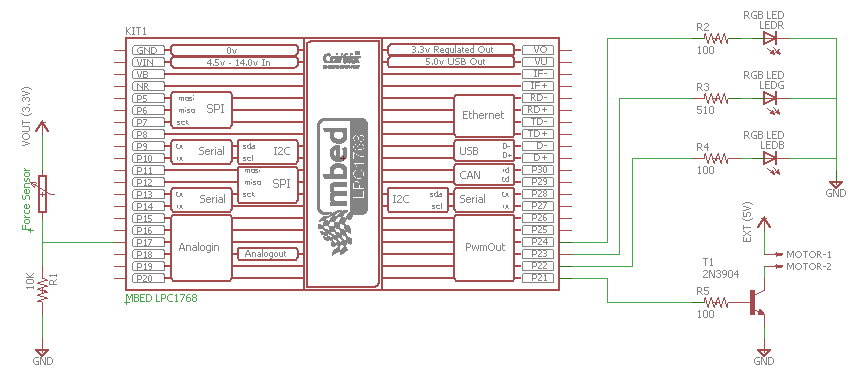
Schematic
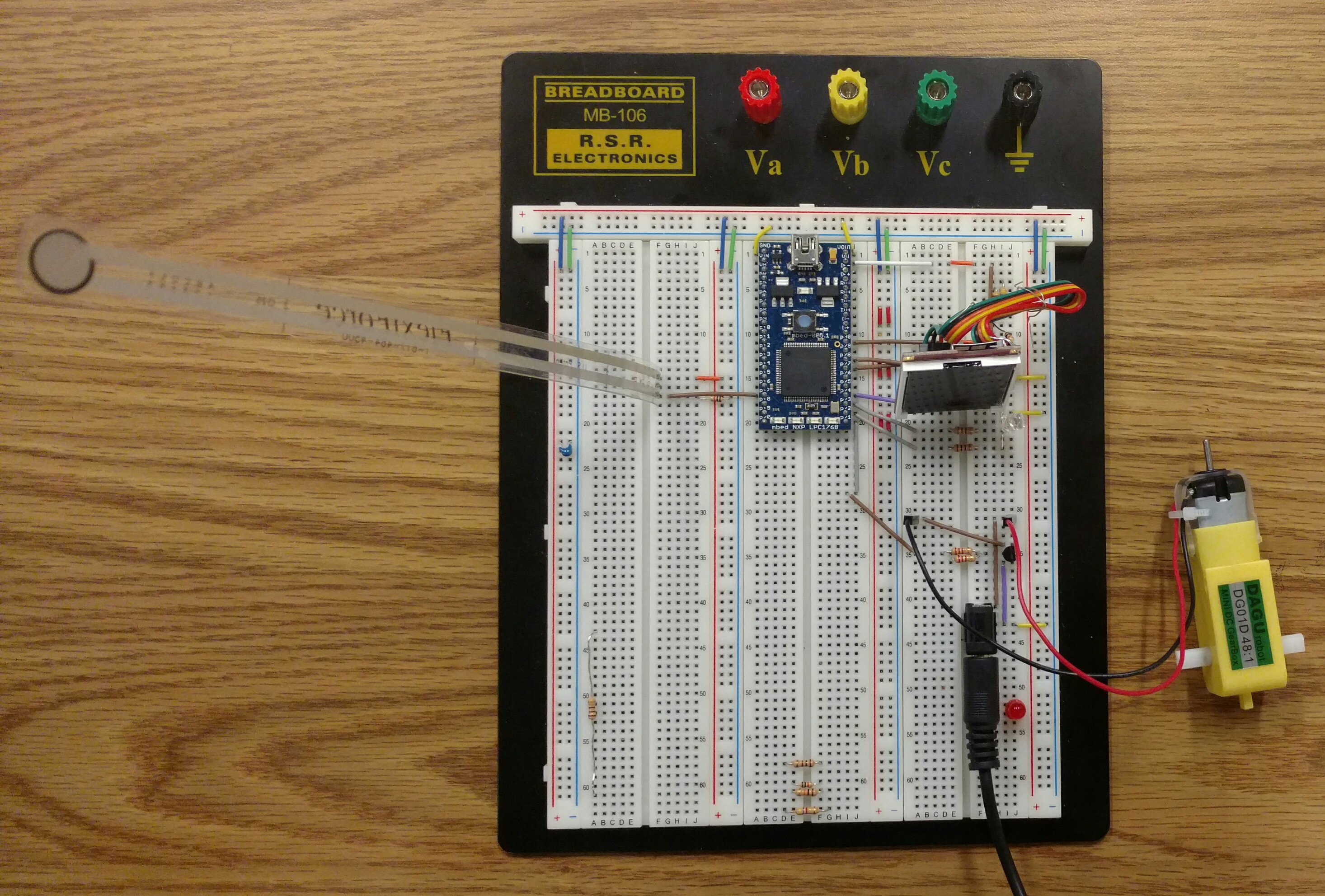
Varying motor speed linearly, changing RGB LED and displaying the motor speed on an LCD
After setting up the system as shown in the electrical diagram and using the pins in the wiring table, we can start testing the flex sensor. Initially, the motor speed is 0, the LED glows with Green light and LCD displays 0 speed. As we press the round area at the end of the sensor, the resistance of the FlexiForce sensor decreases. The harder we press it, the more the resistance decreases.
Therefore, as we press the FlexiForce sensor harder, the motor speed starts to increase linearly. The RGB led changes color from green to blue and blue to red depending upon the speed of the motor, green being 0 motor speed and red indicating maximum speed.
The motor speed is also displayed on the LCD in the range of 0-1 which changes every 100ms.
Wiring
| Mbed | FlexiForce Sensor | RGB LED | Motor Switch | uLCD |
|---|---|---|---|---|
| VOUT (3.3V) | Terminal 1 | |||
| VU (5V) | 5V | |||
| GND | GND | GND | ||
| p20 (Analog In) | Terminal 3 | |||
| p24 (PWM Out) | Red | |||
| p23 (PWM Out) | Green | |||
| p22 (PWM Out) | Blue | |||
| p21 (PWM Out) | Base of 2N3904 | |||
| TX (p28) | RX | |||
| RX (p27) | TX | |||
| RX (p30) | Reset |
Code
include the mbed library with this snippet
#include "mbed.h"
#include "uLCD_4DGL.h"
#include "LSM9DS1.h"

AnalogIn flex(p17);
PwmOut red(p24);
PwmOut green(p23);
PwmOut blue(p22);
PwmOut motorSwitch(p21);

uLCD_4DGL uLCD (p28,p27,p30); // serial tx, serial rx, reset pin;
Serial pc(USBTX, USBRX);

float flexScaled;

int main()
{
    uLCD.baudrate(300000);
    red.period(0.00001);
    green.period(0.00001);
    blue.period(0.000010);
    motorSwitch.period(0.01);

    flexScaled=flex*1000;

    uLCD.cls();
    uLCD.background_color(DGREY);
    uLCD.set_font(FONT_7X8);
    uLCD.text_bold(ON);
    uLCD.text_italic(ON);

    while(1)
    {
        flexScaled=flex*10000;
        red = 0;
        green = 0;
        blue = 0;

        if(flexScaled<1000)
        {
            green=1;
        }
        if(flexScaled>1050 && flexScaled<2800)
        {
            blue=1;
        }
        if(flexScaled>2800)
        {
            red=1;
        }

        float motorVal;
        motorVal=float(flexScaled/3500);
        motorSwitch.write(motorVal);

        uLCD.printf(" %f",motorSwitch.read());
        uLCD.locate(0,0);
        wait(0.01);

    }
}
Mbed Board picture