Important changes to repositories hosted on mbed.com
Mbed hosted mercurial repositories are deprecated and are due to be permanently deleted in July 2026.
To keep a copy of this software download the repository Zip archive or clone locally using Mercurial.
It is also possible to export all your personal repositories from the account settings page.
You are viewing an older revision! See the latest version
Guides
This Wiki page provides a detailed guide on how to setup and operate PixArt's PAT9125EL sensor with the Nordic nRF52 (recommended) as well as any other microcontroller.
Setup for the Nordic nRF52:
Hardware
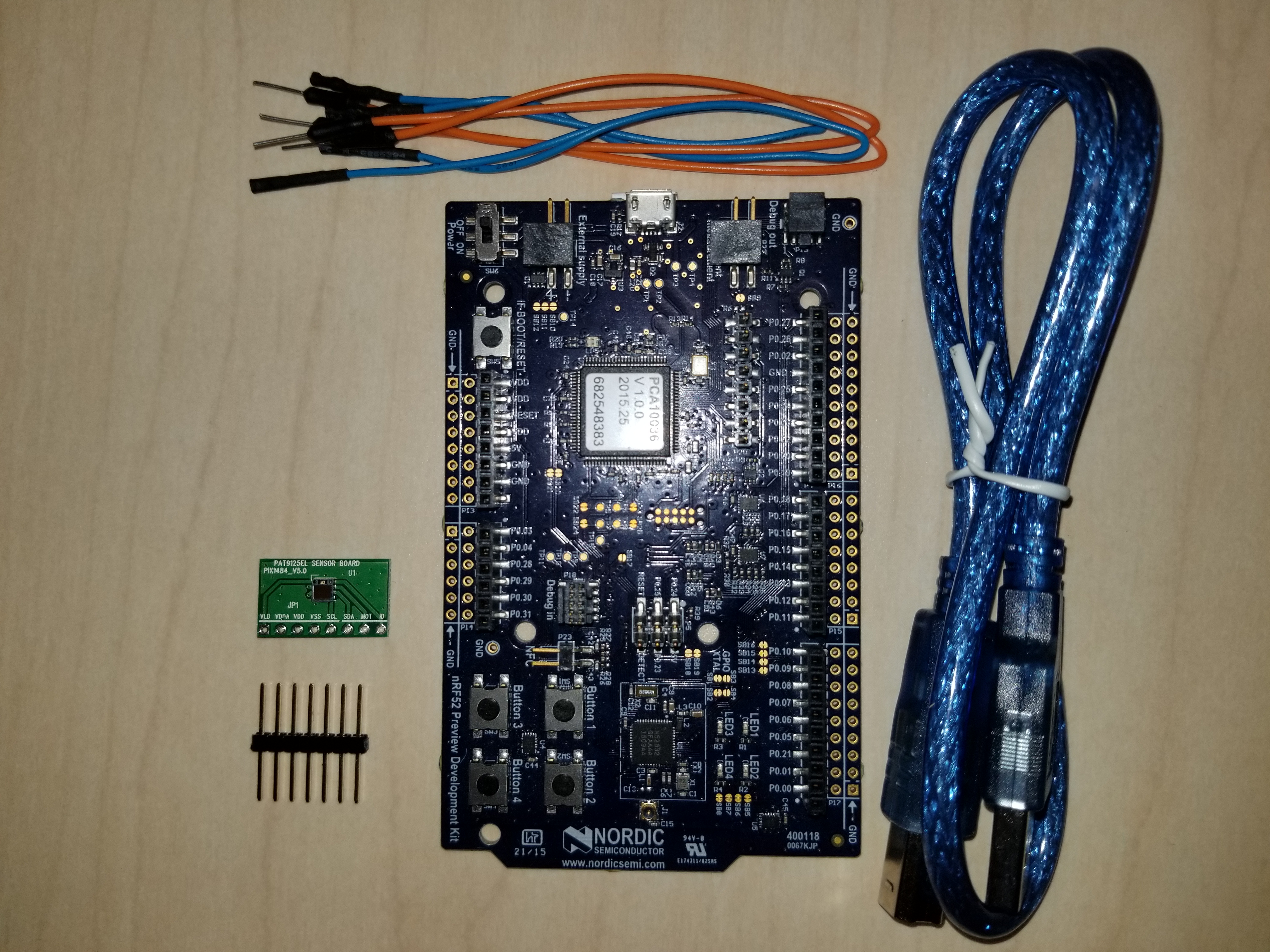
- 1. PC with Windows Operating System
- 2. Nordic nRF52 Microcontroller
- 3. PAT9125EL Evaluation Board
- 4. USB Cable (USB-A Male to USB-B Male)
- 5. Standard Male Pin Headers
- 6. Jumper Cables
- 7. Soldering Station
- NOTE: PC and soldering station not included in image.
- You will need to solder the pin headers to the evaluation board similar to the following image:
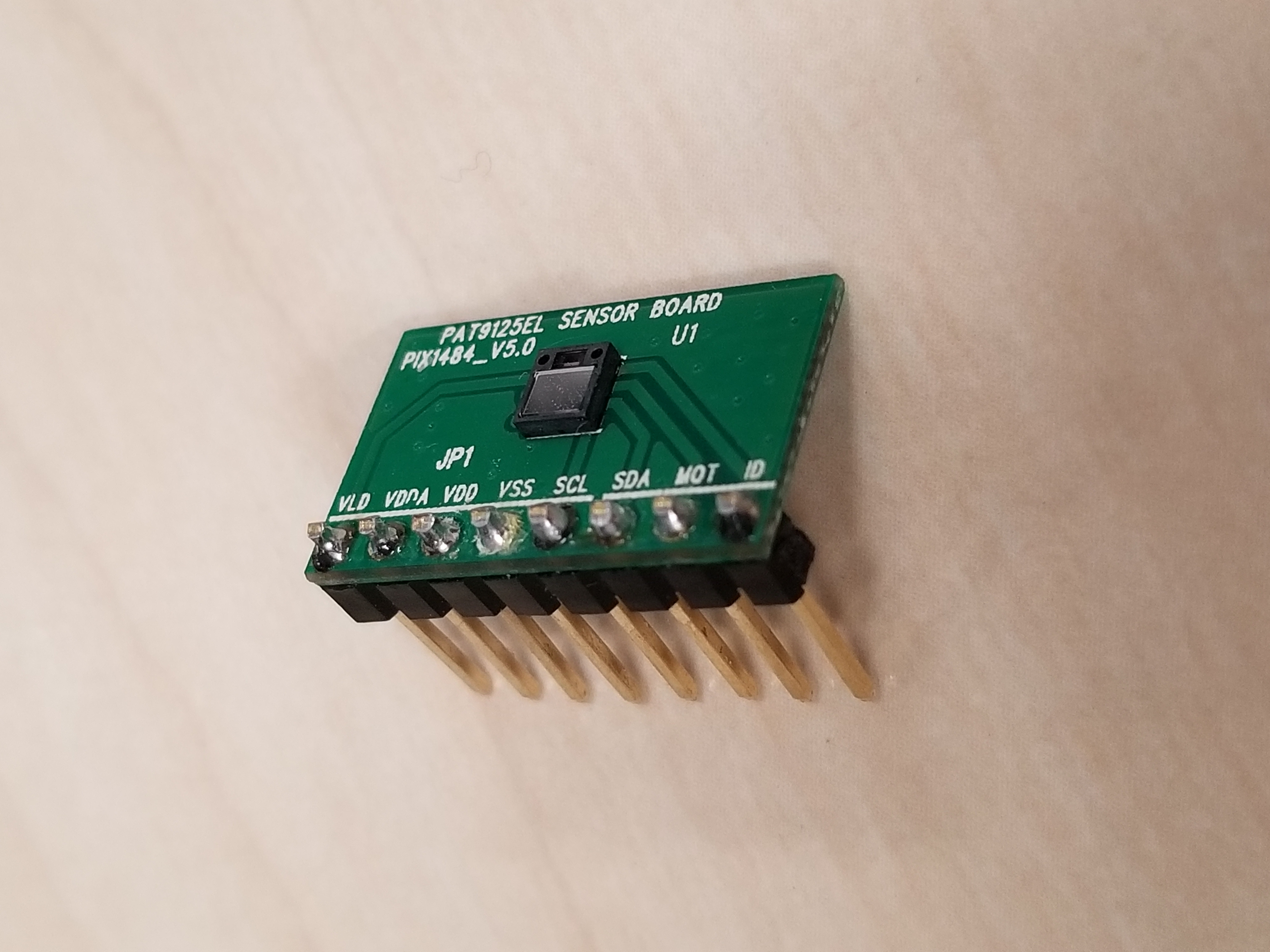
- You will need to solder the pin headers to the evaluation board similar to the following image:
- NOTE: PC and soldering station not included in image.
Connection
Please refer to the image and notes below for pinout details.
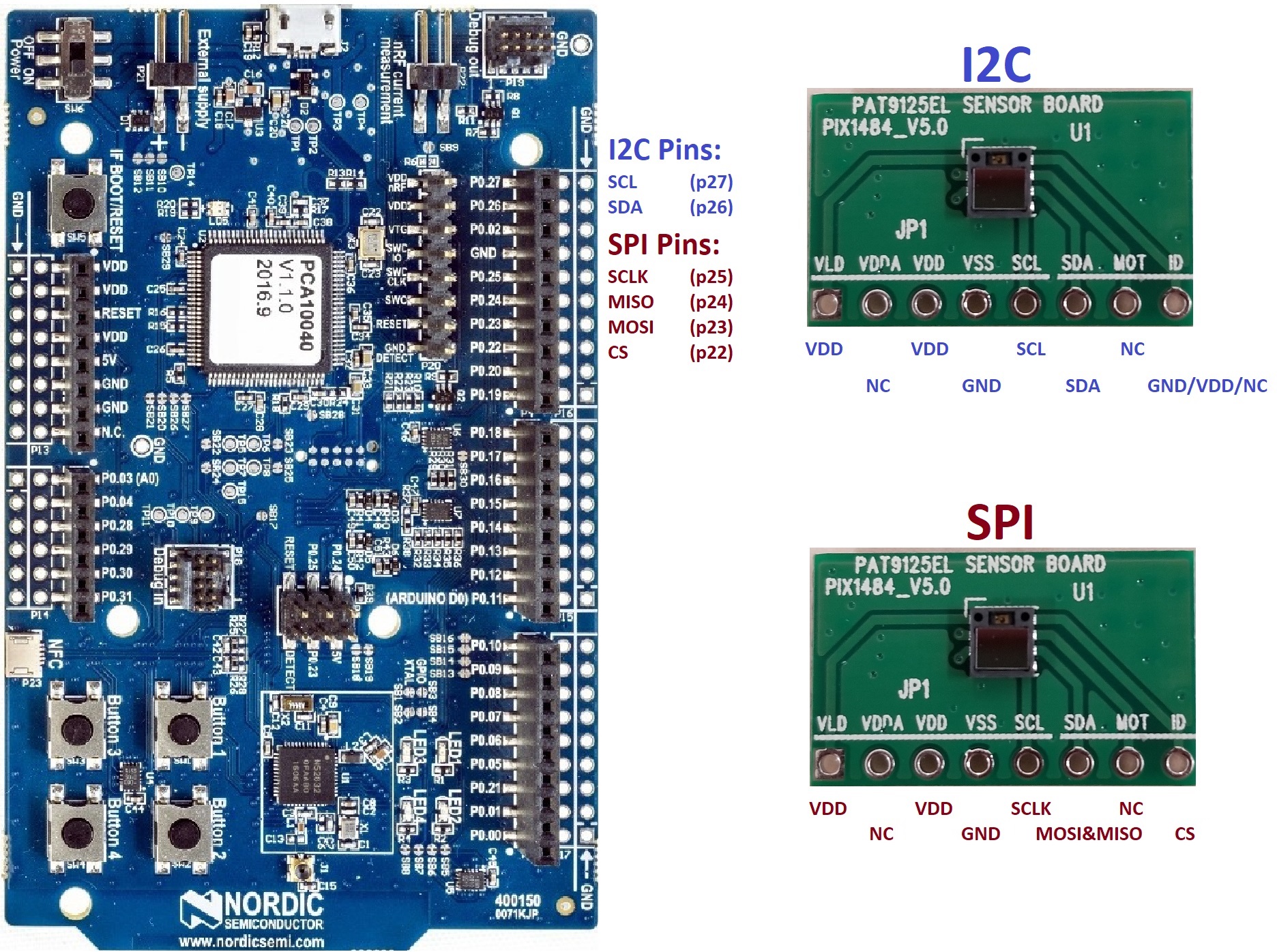
- VDD and VLD on the PAT9125EL evaluation board connect to any VDD pin on the Nordic nRF52 microcontroller.
- GND on the PAT9125EL evaluation board connect to any GND pin on the Nordic nRF52 microcontroller.
- NC = No connection.
- NOTE: For the SPI version, you will need a 2-to-1 connection because this sensor uses 3-Wire SPI (data pin "SDA" on the evaluation board is bi-directional). The SDA pin on the evaluation board needs to connect to pin 23 AND pin 24 on the Nordic nRF52 microcontroller.
- NOTE: For the I2C version, the "ID" pin on the evaluation board determines the slave ID depending on what it is connected to. (High = 0x73, Low = 0x75, NC = 0x79). By default, please connect this pin to GND (Low) unless you have altered the firmware.
Importing Code
With the sensor connected to the microcontroller, we can now import code into the microcontroller to start talking to the sensor. For the firmware code, please visit this product's components page here: https://os.mbed.com/components/PAT9125EL-Evaluation-Board/