You are viewing an older revision! See the latest version
esp8266 mbed setup and control
ESP8266 setup to talk to an mbed
The esp 8266 is a very handy little WiFi module that you can get hold of for a few $ via ebay.
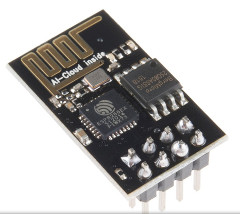
There's a really good wiki page at https://developer.mbed.org/users/4180_1/notebook/using-the-esp8266-with-the-mbed-lpc1768/ with information on how to connect it to an lpc1768 and two test codes.
Whilst playing with this we found it fairly useful to be able to interact with the units via a terminal. In general this is a very good way to check out what it does and get a feel for how the unit behaves.
Our modified terminal passthrough code is here

Using this program you can manually enter the AT commands and observe the responses required to get your esp linked onto a WiFi network and even, somewhat laboriously, send messages to a server.
The ESP8266 is a bit of current hog - it can require up to 150mA from the 3.3V supply so generally will not run from an mbeds own regulators (at least its not very reliable when we've tried it here).
Instead a small 3.3V reg running from the 5V USB supply suffices to get it running happily. Something like this seems to work:
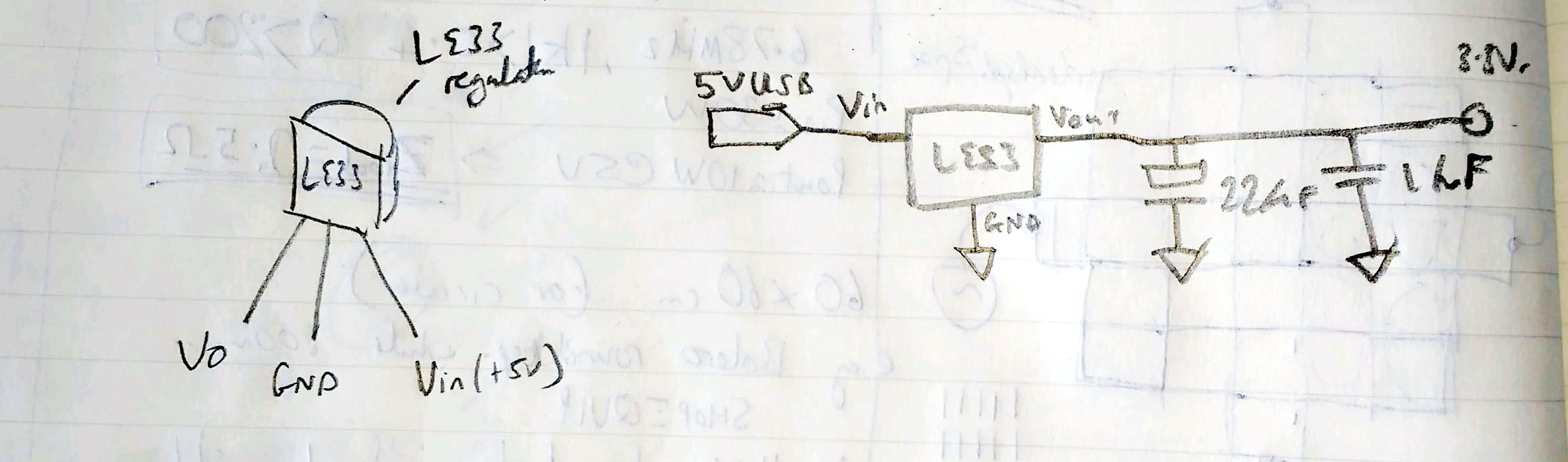
You can also put an led and resistor in series across the 3.3v to see if there is any voltage dropout when the unit is transmitting.
The mbed connections look like this (its a top view of the esp8266 here)
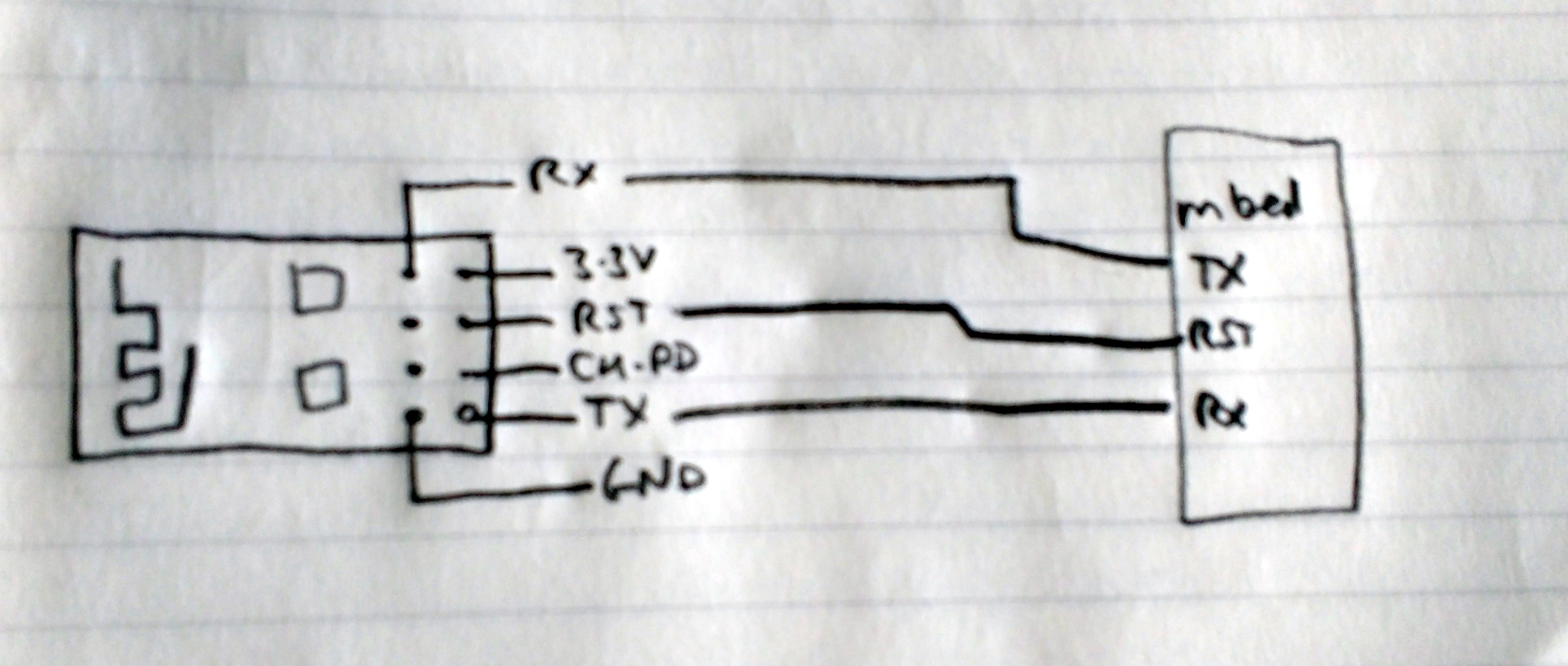
Once you've got your ESP8266 connected and powered the simple terminal program above can be really useful.
To get your esp running, upload the code and plug everything in.
Start a terminal and conect it to the mbed (for our linux boxes that's generally something like
sudo screen /dev/ttyACM0 115200
where the sudo is required otherwise you can't access the usb ports...
now the fun starts.
you'll probably get some kind of junk coming up on the screen straight away depending on what the esp unit was setup for last time.
to test it out try typing this : AT the board should reply as soon as you push enter with OK
this AT is the attention command that is required as a prefix to any command sent.
send it a few times to check.
Now to get the unit setup properly.
send the following: AT+RST this resets the esp8266 and reads back lots of information about it. The response should be something like this:
AT+RST
OK
ets Jan 8 2013,rst cause:2, boot mode:(3,7)
load 0x40100000, len 1396, room 16
tail 4
chksum 0x89
load 0x3ffe8000, len 776, room 4
tail 4
chksum 0xe8
load 0x3ffe8308, len 540, room 4
tail 8
chksum 0xc0
csum 0xc0
2nd boot version : 1.4(b1)
SPI Speed : 40MHz
SPI Mode : DIO
SPI Flash Size & Map: 8Mbit(512KB+512KB)
jump to run user1 @ 1000
�n't use rtc mem data
r��rl���
Ai-Thinker Technology Co.,Ltd.
ready
ok now set the unit to multiple connections
AT+CIPMUX=1
which should respond with
OK
then set the mode (we want client at the moment)
AT+CWMODE=1
Now to get the unit online;
send this to login to the wifi unit named CWMWIFI with password CWM2016TT
AT+CWJAP="CWMWIFI",CWM2016TT"
there will be a slight delay and then a response which is hopefully
WIFI CONNECTED
WIFI GOT IP
OK
if it goes wrong you'll get
ERROR