4180 Final Cat Laser Toy
Background
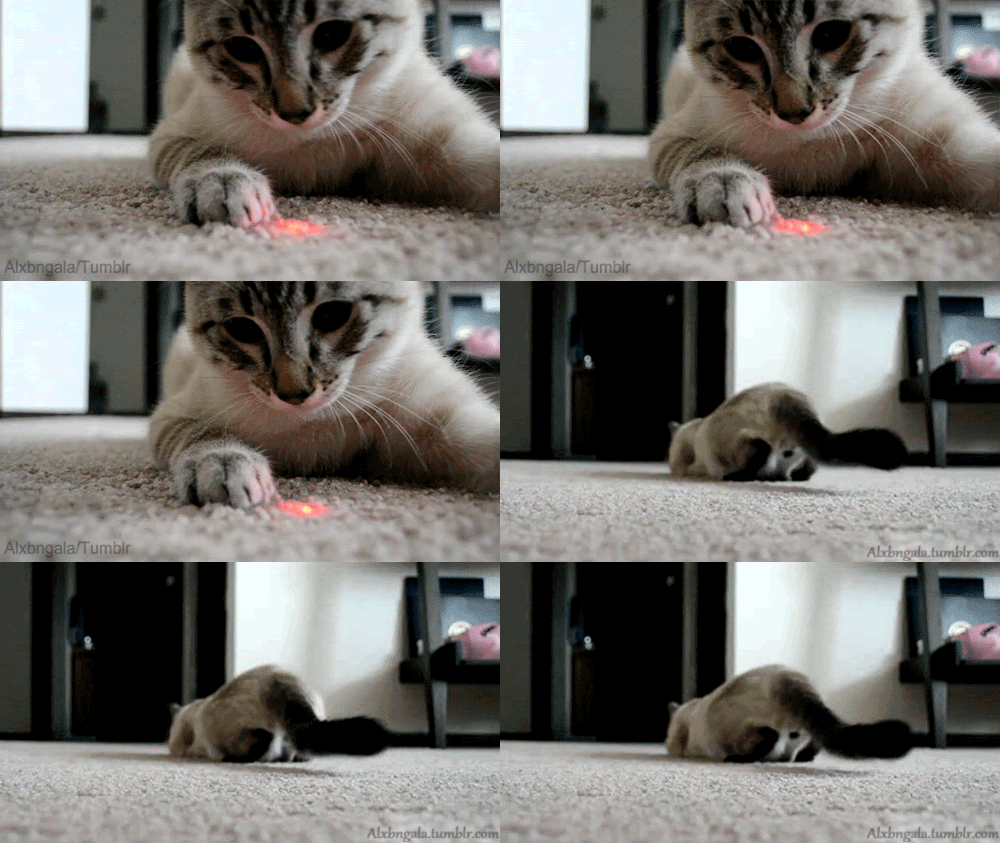
This project idea was initially developed as part of a behavioral research project, in order to investigate whether or not locational uncertainty can encourage certain pouncing behaviors in domestic cats. It was proposed that by varying the movement of a laser pointer dot between stationary, regular motion, and random motion, cat behavior could be observed in order to answer this question.
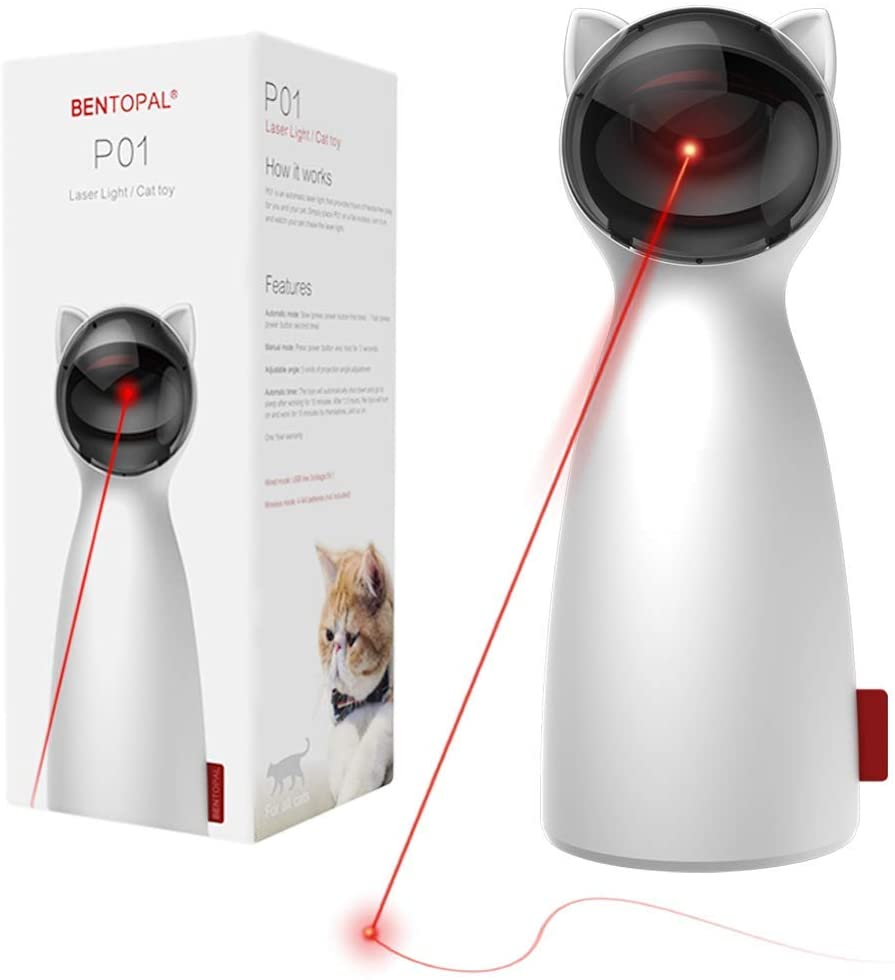
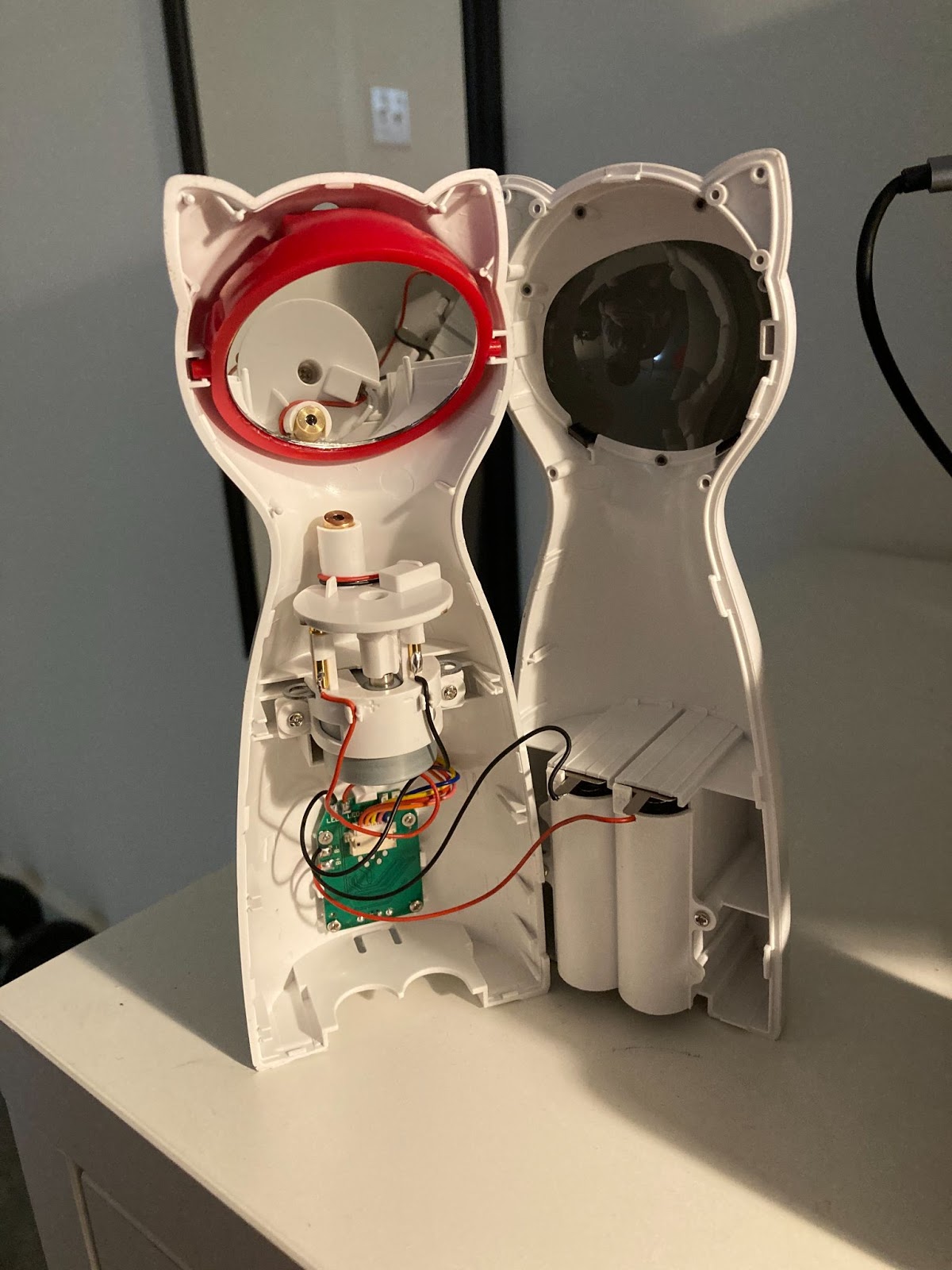
We modified the commercially available cat laser statue, in order to benefit this investigation. The statue can be powered via a 5V mini USB cable, or via 4 AA batteries. The statue was disassembled, revealing that a vertical laser revolves around the shaft of a 3.7V stepper motor, which points the laser at different positions on an angled mirror. This mirror can be adjusted manually to direct the laser closer to and further from the base of the statue.
Description
The existing driver board continuously rotates the laser, causing the dot to move in a large, elliptical path. For the research case, we restricted the dot motion to a smaller path. Thus, we replaced the existing driver with an mbed and compatible stepper motor driver (ULN2003 driver board).
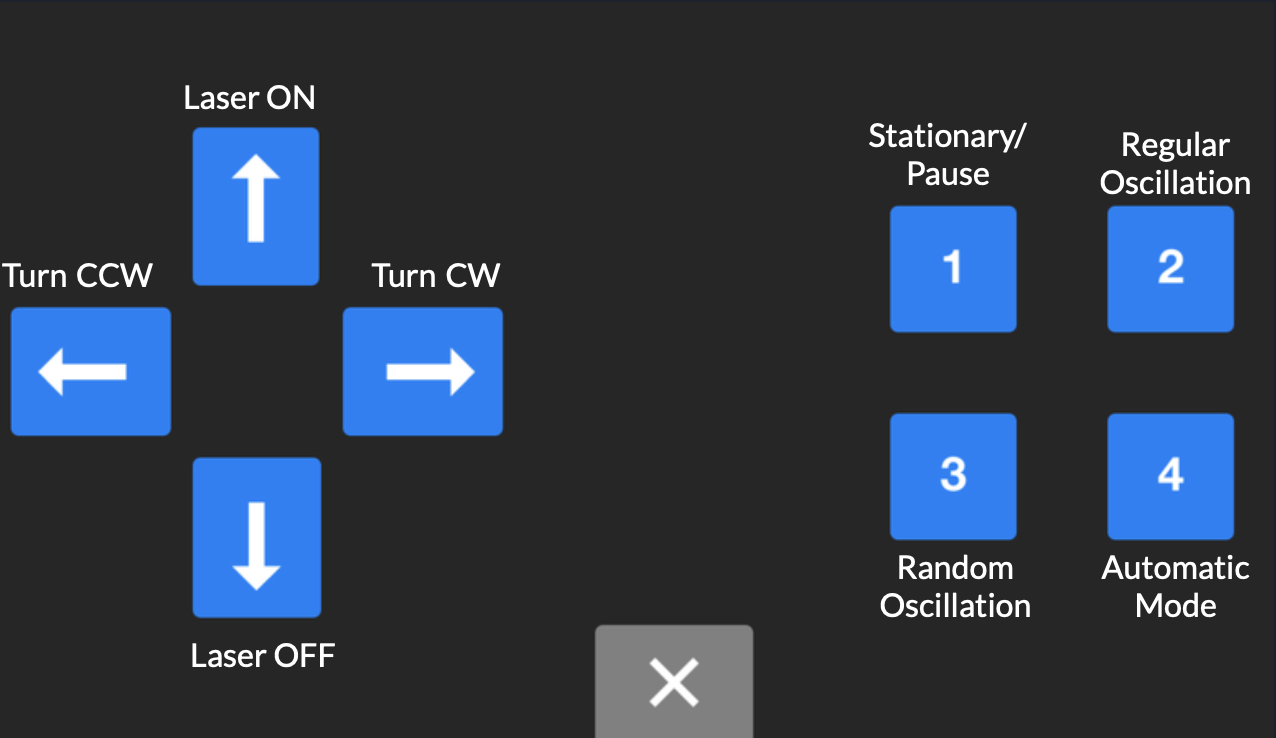
The laser, actuated by the stepper motor, also has a basic set of modes, including stationary, regular movement, controlled by bluetooth module, and random movement. To swap modes, we used the Adafruit Bluefruit module and the accompanying mobile app.
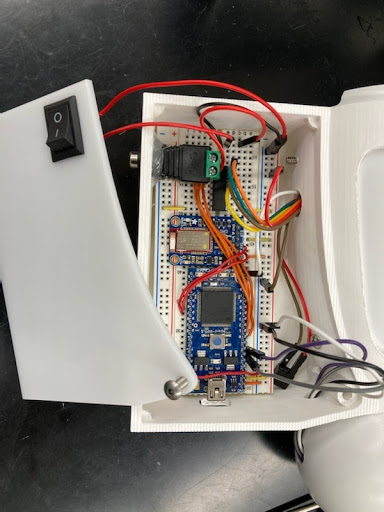
We removed the existing AA battery compartment and used a 5V barrel jack to power all equipment. A power switch was implemented to remove power, and to turn the system on and off. It will be important to ensure that the mbed is powered on and off correctly each time the switch is used.
Parts
- Mbed LPC1768
- ULN2003 Driver
- Stepper Motor(5V)
- HC-SR04 Ultrasonic Sonar
- Adafruit Bluetooth LE UART module
- Cat Toy Laser (3V)
- External Power
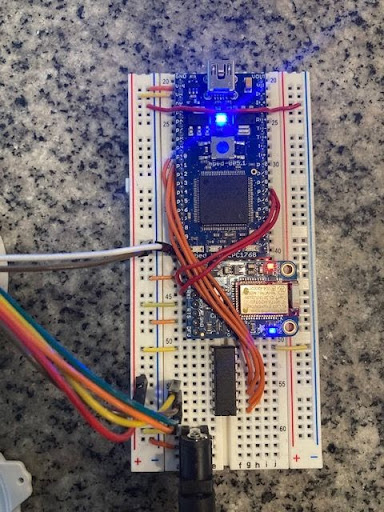
Connections
| Mbed LPC1768 | ULN2003 Driver | 5V Stepper Motor | HC-SR04 Ultrasonic Sonar | Adafruit Bluetooth LE UART Module | Laser | External Power |
|---|---|---|---|---|---|---|
| GND | Pin 8 | GND | CTS/GND | GND | GND | |
| Vin | Pin 9 | Vin | Vcc | Vin | 5V | |
| p6 | Trig | |||||
| p7 | Echo | |||||
| p9 | Pin 1 | |||||
| p10 | Pin 2 | |||||
| p11 | Pin 3 | |||||
| p12 | Pin 4 | |||||
| p20 | Vin | |||||
| p27 | TXO | |||||
| p28 | Rx | |||||
| Pin 13 | Phase 1* | |||||
| Pin 14 | Phase 2* | |||||
| Pin 15 | Phase 3* | |||||
| Pin 16 | Phase 4* |
*Motor phase wires may require a different combination depending on the model used.
If a cell is blank, that indicates no connection.
Code
Import programCat_Tower_Final
Program and supporting libraries for cat laser tower bluetooth functionality and auto modes.
Last commit 30 Apr 2021 by  4180 Final Project Cat Laser
Import programConstructionFiles
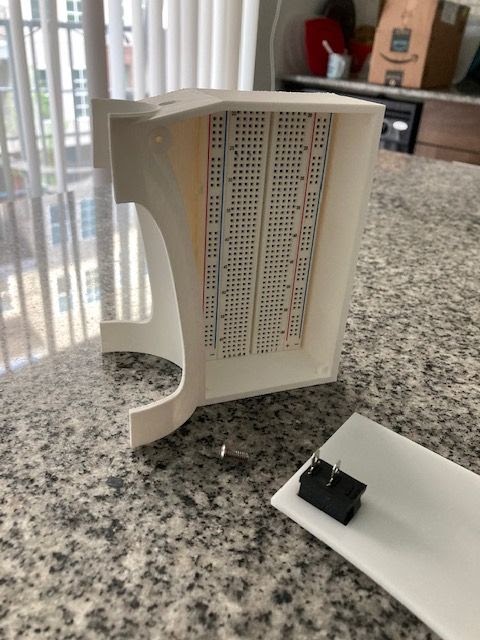
2 .stl files for 3D printing (enclosure and filler) 1 .dxf file for laser cut panel on front of enclosure
Last commit 30 Apr 2021 by 4180 Final Project Cat Laser
Above are the code repository as well as the files for the 3D printed enclosure and laser cut panel.
main.cpp
#include "mbed.h"
#include "sMotor.h"
#include "ultrasonic.h"

Serial pc(USBTX, USBRX);
Serial Blue(p28,p27);
sMotor motor(p9, p10, p11, p12); // creates new stepper motor: IN1, IN2, IN3, IN4
DigitalOut laser(p20);
Timer t;

int step_speed = 1100; // set default motor speed
volatile int dir = 0; //0 is CW, 1 is CCW

volatile int C = 30;
volatile int numstep; // defines basic turn distance -- 256 steps == 360 degrees
volatile bool stationary = 1;
volatile bool regular = 0;
volatile bool isrand = 0;
volatile bool manual = 0;
volatile bool sonic = 0;
volatile bool trigger = 0;
volatile int  bnum = 0;
volatile int  bhit;
volatile int power = 1;
//state used to remember previous characters read in a button message
enum statetype {start = 0, got_exclm, got_B, got_num, got_hit};
statetype state = start;

//Interrupt routine to determine distance
void dist(int distance) {
    //put code here to execute when the distance has changed
    printf("Distance %d mm\r\n", distance);
    if (distance < 500) {
        trigger = 1;
        printf("where the kitty cat?\r\n");
    }

}
//Define ultrasonic sensor
ultrasonic mu(p6, p7, .5, 1, &dist);

//Interrupt routine to parse message with one new character per serial RX interrupt
void parse_message() {
    switch (state) {
        case start:
            if (Blue.getc()=='!') state = got_exclm;
            else state = start;
            break;
        case got_exclm:
            if (Blue.getc() == 'B') state = got_B;
            else state = start;
            break;
        case got_B:
            bnum = Blue.getc();
            state = got_num;
            break;
        case got_num:
            bhit = Blue.getc();
            state = got_hit;
            break;
        case got_hit:
            if (Blue.getc() == char(~('!' + ' B' + bnum + bhit))) {
                switch (bnum) {
                    case '1': //number button 1
                        regular = isrand = manual = sonic = 0;
                        stationary = 1;
                        printf("! B %d %d: Button 1 hit!\r\n", bnum, bhit);
                        break;
                    case '2': //number button 2
                        stationary = manual = isrand = sonic = 0;
                        regular = 1;
                        numstep = C;
                        printf("! B %d %d: Button 2 hit!\r\n", bnum, bhit);
                        break;
                    case '3': //number button 3
                        stationary = regular = manual = sonic = 0;
                        isrand = 1;
                        printf("! B %d %d: Button 3 hit!\r\n", bnum, bhit);
                        break;
                    case '4': //number button 4
                        regular = isrand = manual = stationary = 0;
                        sonic = 1;
                        printf("! B %d %d: Button 4 hit! Going ultrasonic.\r\n", bnum, bhit);
                        break;
                    case '5': //up arrow
                        power = 1;
                        printf("! B %d %d: Up arrow hit!\r\n", bnum, bhit);
                        break;
                    case '6': //down arrow
                        power = 0;
                        printf("! B %d %d: Down arrow hit!\r\n", bnum, bhit);
                        break;
                    case '7':
                        stationary = regular = isrand = sonic = 0;
                        manual = 1;
                        dir = 0;
                        printf("! B %d %d: Left arrow hit!\r\n", bnum, bhit);
                        break;
                    case '8':
                        stationary = regular = isrand = sonic = 0;
                        manual = 1;
                        dir = 1;
                        printf("! B %d %d: Right arrow hit!\r\n", bnum, bhit);
                        break;
                }
            }
        default:
            Blue.getc();
            state = start;
    }
}

int main() {

    // Screen Menu
    printf("Default Speed: %d\n\r", step_speed);
    printf("Use Adafruit Bluefruit buttons to select mode\n\r");

    // attach interrupt function for each new Bluetooth serial character
    Blue.attach(&parse_message,Serial::RxIrq);

    int temp1 = 0;
    int temp2 = 0;

    while (1) {
        laser = power;

        //IF STATIONARY, DONT DO ANYTHING, OTHERWISE:
        if (stationary != 1) {

            //IF REGULAR, TURN BACK AND FORTH WITH C
            if (regular == 1) {
                dir =  1 - dir;
                motor.step(numstep, dir, step_speed);
            }
            //IF RANDOM, TURN RANDOMLY BASED ON C
            else if (isrand == 1) {
                temp2 = rand() % C+1;
                numstep = temp2 - temp1;
                if (numstep < 0) {
                    dir = 0;
                } else if (numstep > 0) {
                    dir = 1;
                }
                temp1 = temp2;
                numstep = abs(numstep);
                motor.step(numstep, dir, step_speed);
            }
            //IF MANUAL, USE DIRECTION TO TURN
            else if (manual == 1) {
                dir = dir;
                numstep = C;
                motor.step(numstep, dir, step_speed);
                manual = 0;
                stationary = 1;
            }
            //GOING ULTRASONIC
            else if (sonic == 1) {
                laser = 0;
                mu.startUpdates();//start measuring the distance
                while (sonic) {
                    mu.checkDistance();
                    if (trigger) {
                        t.start();
                        while (t.read() < 60.0 && sonic == 1) {
                            laser = 1;
                            printf("%f seconds\n", t.read());
                            numstep = rand() % C+1;
                            dir = !dir;
                            motor.step(numstep, dir, step_speed);
                        }
                        laser = 0;
                        trigger = 0;
                        t.stop();
                        t.reset();
                    }
                }
                mu.pauseUpdates();//stop measureing the distance
            }
        }
    }
}
The above code results in the following controls from the Adafruit Bluefruit Connect app