You are viewing an older revision! See the latest version
Signup Codes
Every new mbed Microcontroller includes a single licence key which allows you to create one mbed account.
However, in some circumstances, such and labs and workshops, hardware is shared and there are more users than there are microcontrollers.
To solve this problem, we have the ability to create signup codes, which enables an account to be created, even if the single license key supplied on the board has already been used. Below are the isntructions on how to use the sign up codes.
Instructions
When you open the the MBED.HTM file on the mbed Microcontroller, you will be taken to the login / signup page :
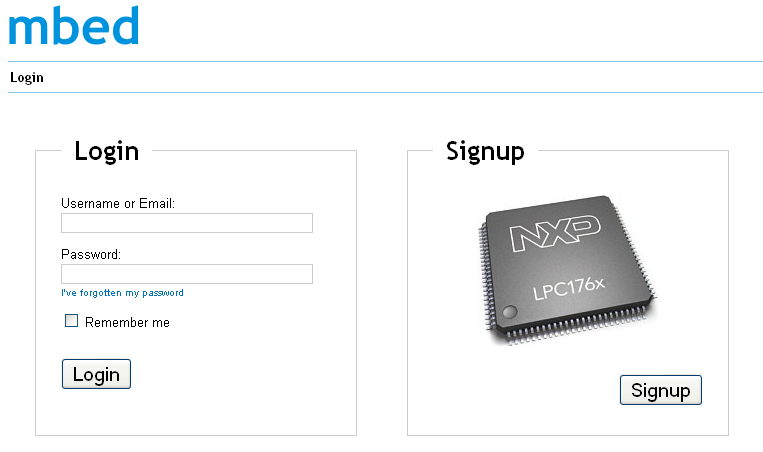
New users who do not have an account, will follow the link to "Signup". If the license key on the microcontroller has already been used, the following message will appear :
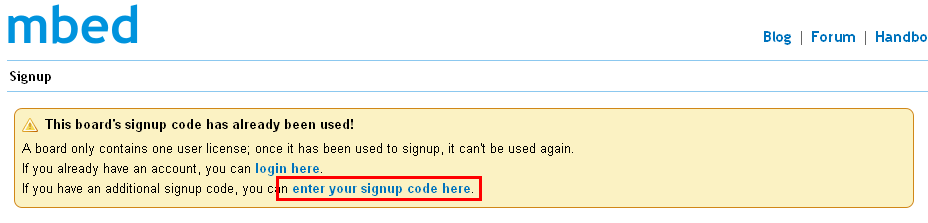
The link highlighted in red will allow the signup to take place using an additional signup code. This link leads to a page where the signup code is entered. These codes are :
- Five characters long
- Lower case
- Alphabetic characters (no numbers of special characters)
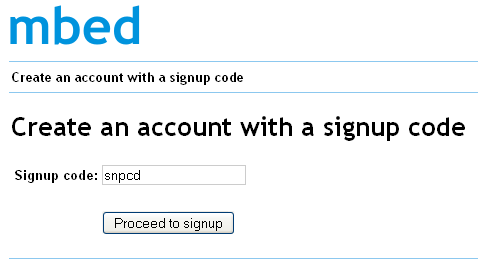
With the code entered, click on "Proceed to signup" to go to the registration page :
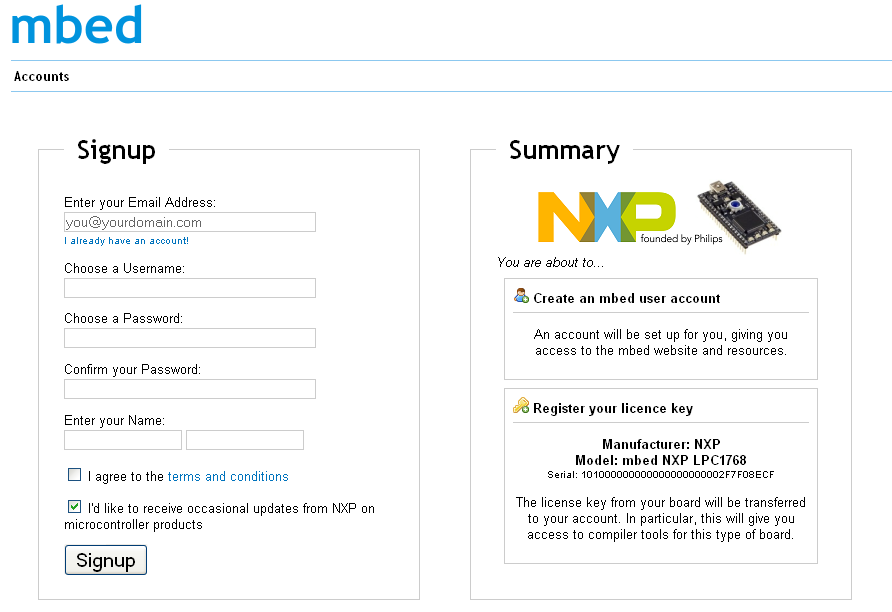
Now you are back on the path of the normal signup. Fill in a few signup details and your account will be created and you'll be ready to go!
Troubleshooting!
The signup codes can also only be used once. If the code has already been used, the registration will fail. Please contact support@mbed.org if this happens.