You are viewing an older revision! See the latest version
Collaboration/Publishing
« CollaborationBeing an author: Publishing your code
When you are working on code inside your private workspace, you can commit your work using the Commit button.
 This adds a commit to your private repository and is a good way of managing your code and keeping a record of changes made. This remains completely private unless you Publish your repository.
If you want to share your work, you can click Publish from the right-click menu on your workspace program.
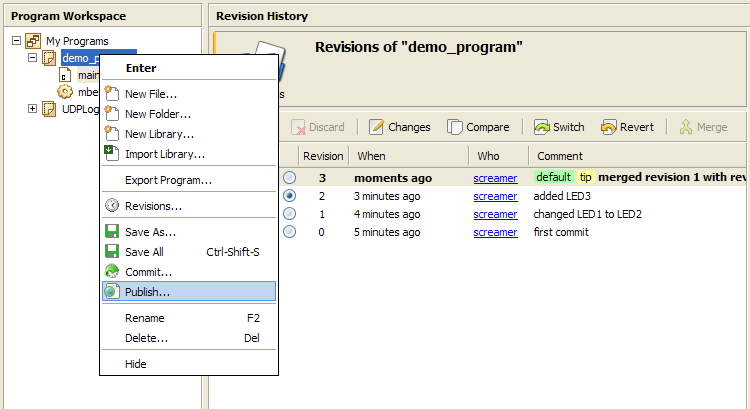
You will be prompted to commit your work if you have uncommitted changes.
Then, if this is the first time you have published this program or library, you will see a dialog like this one:
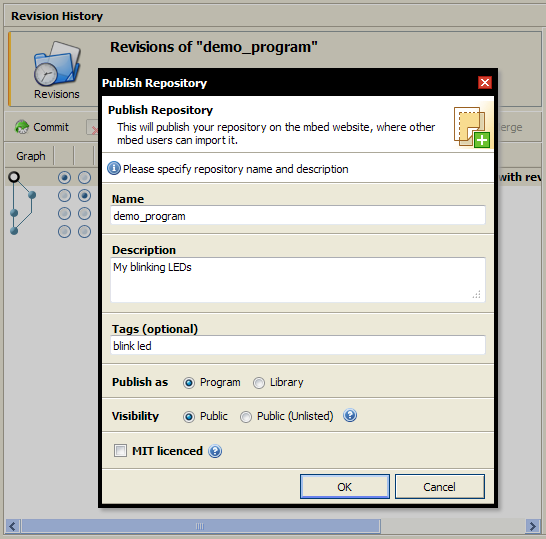
Complete a description of what you are publishing, and hit publish.
That will copy your private repository to the mbed public website, where other users can import it.
The public copy of your repository is the home of your project on mbed. This is the place for:
- Documentation about your project
- Guides on how to use it
- Discussion by users of your project
- More features to be added soon!