Garden IoT Device
 Graham Saunders.
0
replies
Graham Saunders.
0
replies
by Skylar Lee and Graham Saunders
Overview
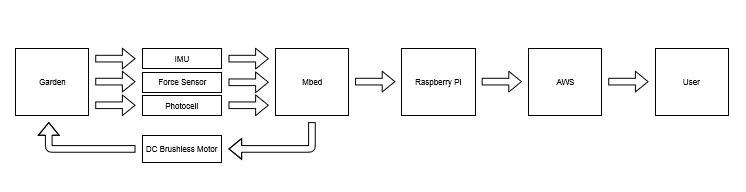
This project monitors and regulates a garden using the a Mbed, a Raspberry Pi, a LSM9DS1-IMU, a PN1106 Force Sensor, a photocell, and a DC Brushless Motor with RC ESC. It tracks temperature, water level, and light light level using the IMU, Force Sensor, and Photocell respectively. When major changes occur it informs the user with email updates through AWS. If the temperature exceeds a safe level, the DC brushless motor acts automatically as a fan to cool the garden down and shuts off once the temperature is returned to a safe level. The main idea behind this project was proof of concept behind a self regulating garden capable of alerting the user of when it needs attention.
Proof of Concept Demonstration Video
Block Diagram for Garden IoT Operation
Subsystem Setup Resources
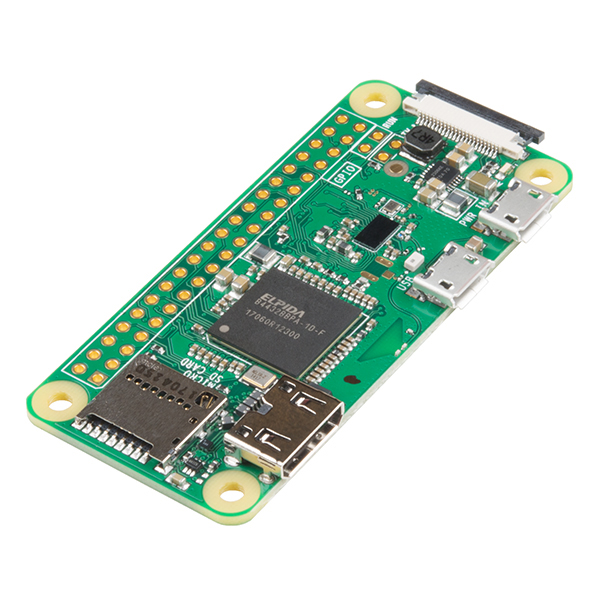
Raspberry Pi and Mbed communication using the USB virtual com port
https://os.mbed.com/users/4180_1/notebook/raspberry-pi-and-mbed-communication-using-the-usb-/
Raspberry Pi and AWS Integration Tutorial
https://medium.com/@sajithswa/connect-your-raspberry-pi-with-aws-iot-28920dbc0e88

AWS Communication Guide
https://docs.aws.amazon.com/iot/latest/developerguide/what-is-aws-iot.html
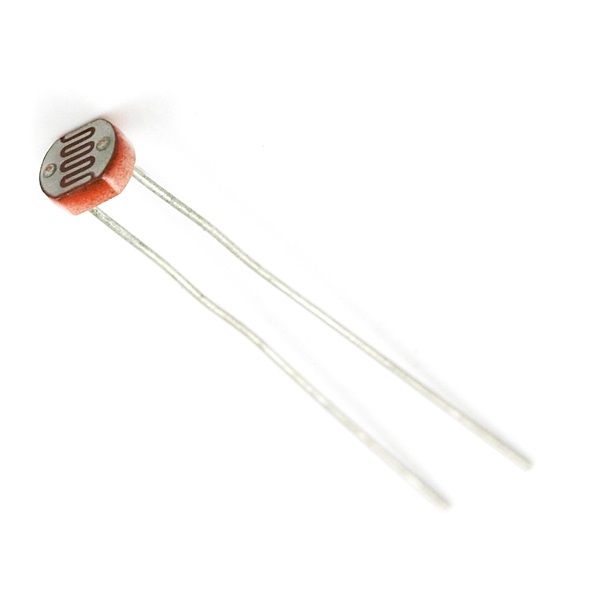
Using a Photocell or Phototransistor to determine lighting levels
https://os.mbed.com/users/4180_1/notebook/using-a-photocell-to-determine-light-levels/
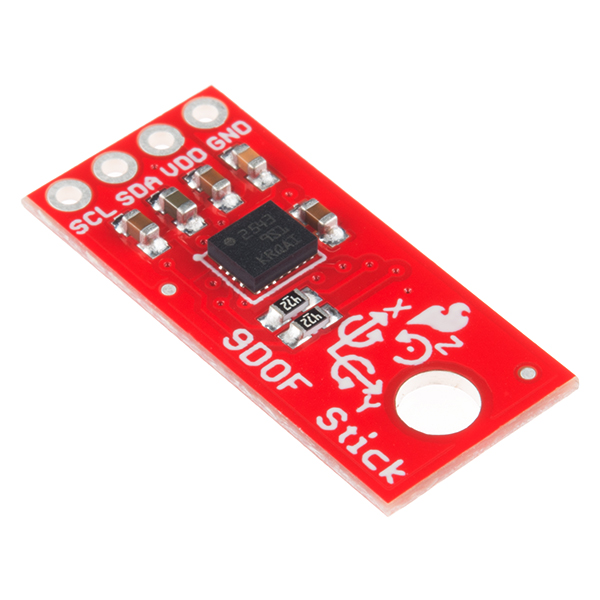
LSM9DS1 IMU Information Page
https://os.mbed.com/components/LSM9DS1-IMU/
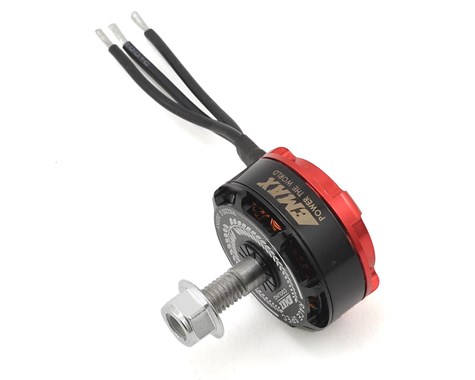
Using a Brushless DC motor with an RC ESC
https://os.mbed.com/users/4180_1/notebook/using-a-dc-brushless-motor-with-an-rc-esc/
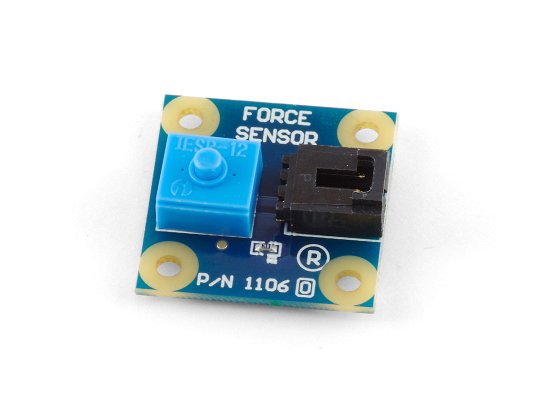
PN11106 Force Sensor
| mbed | PN1106 | PN1106 Wire |
|---|---|---|
| 5V = VU | 5V | 5V |
| Gnd | Gnd | Gnd |
| P18 | Ain | White |
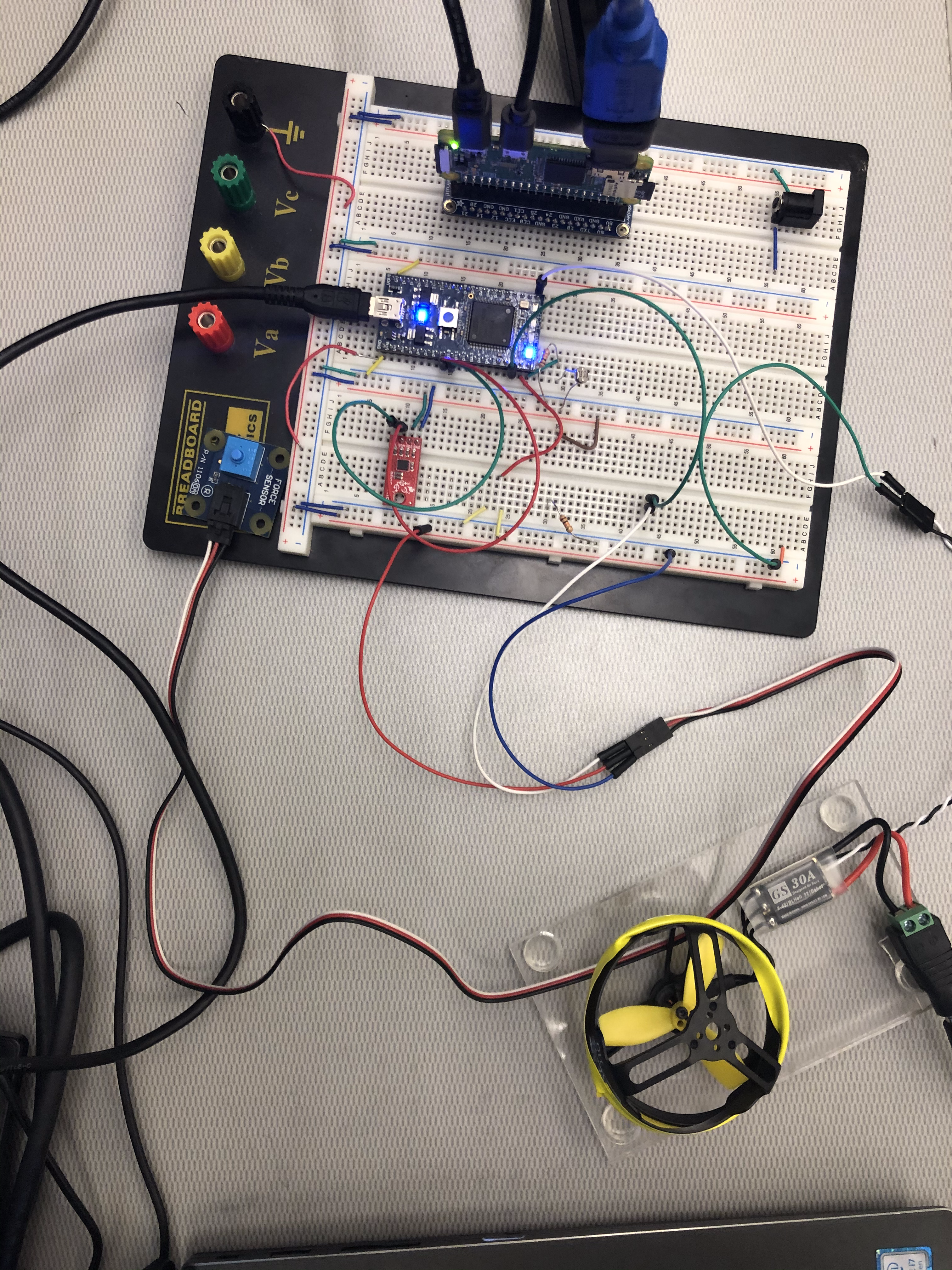
Connection Layout Example
Mbed Code
#include "mbed.h"
#include "LSM9DS1.h"
#include "Servo.h"

// Initialize a pins to perform analog input and digital output fucntions

AnalogIn ain(p20);
AnalogIn waterStrip(p18);
DigitalOut dout(LED1);
Serial pc(USBTX, USBRX);
Servo myservo(p21);

int convertedTemp;
int intialTemp;

int main(void)
{
    LSM9DS1 imu(p9, p10, 0xD6, 0x3C);
    imu.begin();
    imu.calibrate();
    imu.readTemp();
    intialTemp = imu.temperature;
    while (1) {
        // test the voltage on the initialized analog pin
        //  and if greater than 0.3 * VCC set the digital pin
        //  to a logic 1 otherwise a logic 0
        if(ain > 0.3f) {
            dout = 1;
        } else {
            dout = 0;
        }
        imu.readTemp();//read temperature through IMU
        convertedTemp = -1*imu.temperature;//was plus180/2
        if(convertedTemp>80){
            myservo=.1;
        }else{
            myservo=0.0;
        }
        if(convertedTemp>98){ //imu extremely sensitive
            convertedTemp = 98;
        }
        // print the percentage and 16 bit normalized values
        pc.printf("light percentage: %3.3f%%\n", ain.read()*100.0f);
        //pc.printf("light normalized: 0x%04X \n", ain.read_u16());
        pc.printf("Waterstrip percentage: %3.3f%%\n", waterStrip.read()*100.0f);
        //pc.printf("Waterstrip normalized: 0x%04X \n", waterStrip.read_u16());
        pc.printf("Temperature: %d \n", convertedTemp); //if temperature above 85 fan is on activate fan (DC brushless motor)
        wait(1.0f);
    }
}
Raspberry Pi Code
from AWSIoTPythonSDK.MQTTLib import AWSIoTMQTTClient
import logging
import time
import argparse
import json
import pigpio
import RPi.GPIO as GPIO
import serial
import time
from datetime import date, datetime

#if the user needs to use the pi gpio's
#servo_pin = 21     #initializing GPIO 21 for servo motor
#GPIO.setmode(GPIO.BCM)         #BCM pin numbering
#GPIO.setup(servo_pin, GPIO.OUT)   #GPIO 21 as output pin
#p = GPIO.PWM(servo_pin, 50)    #PWM channel at 50Hz freq
#p.start(2.5)
#pi=pigpio.pi()
#pi.set_mode(19, pigpio.INPUT)
#pi.set_pull_up_down(19, pigpio.PUD_DOWN)
#pi.set_mode(6, pigpio.INPUT)
#pi.set_pull_up_down(6,pigpio.PUD_DOWN)
#pi.set_mode(17, pigpio.OUTPUT)
#pi.set_mode(27, pigpio.OUTPUT)

host = "a3da8xngn5rj9t-ats.iot.us-east-2.amazonaws.com"
certPath = "/home/pi/demo/demo-cert/"
clientId = "sajith-pi-demo-publisher"
topic = "demo-topic"
payload3 = "tempPayload"
payload1 = "lightPayload"
payload2 = "waterPayload"

# Init AWSIoTMQTTClient
myAWSIoTMQTTClient = None
myAWSIoTMQTTClient = AWSIoTMQTTClient(clientId)
myAWSIoTMQTTClient.configureEndpoint(host, 8883)
myAWSIoTMQTTClient.configureCredentials("{}aws-root-cert.pem".format(certPath), "{}private-key.pem.key".format(certPath), "{}iot-cert.pem.crt".format(certPath))

# AWSIoTMQTTClient connection configuration
myAWSIoTMQTTClient.configureAutoReconnectBackoffTime(1, 32, 20)
myAWSIoTMQTTClient.configureOfflinePublishQueueing(-1)  # Infinite offline Publish queueing
myAWSIoTMQTTClient.configureDrainingFrequency(2)  # Draining: 2 Hz
myAWSIoTMQTTClient.configureConnectDisconnectTimeout(10)  # 10 sec
myAWSIoTMQTTClient.configureMQTTOperationTimeout(5)  # 5 sec
myAWSIoTMQTTClient.connect()

# Publish to the same topic in a loop forever
loopCount = 0
while True:
    device = serial.Serial('/dev/ttyACM0') #connect to the mbed through serial
    now = datetime.utcnow()
    current_time = now.strftime('%Y-%m-%dT%H:%M:%SZ') #save current time

    data = device.readline()
    data = data.decode("utf-8") #decode byte data into string
    print(data[18:22]) #test
    data = float(data[18:22]) #print only the value of the sensor
    #print(str(data) + '\n')
    message = {}
    message['Time'] = current_time
    message['Light'] = data
    #message['sequence'] = loopCount
    messageJson = json.dumps(message)
    myAWSIoTMQTTClient.publish(payload1, messageJson, 1) #send to aws
    print('Published topic %s: %s\n' % (payload1, messageJson))

    data = device.readline()
    data = data.decode("utf-8")
    data = float(data[23:27]) #save only the value of the number for formatting
    #print(str(data) + '\n')
    message = {}
    message['Time'] = current_time
    message['Water'] = data
    #message['sequence'] = loopCount
    messageJson = json.dumps(message)
    myAWSIoTMQTTClient.publish(payload2, messageJson, 1) #send to aws
    print('Published topic %s: %s\n' % (payload2, messageJson))

    data = device.readline()
    data = data.decode("utf-8")
    data = float(data[12:15]) #save only the value of the data for sql parsing
    #print(str(data) + '\n')
    message = {}
    message['Time'] = current_time
    message['Temperature'] = data
    #message['sequence'] = loopCount
    messageJson = json.dumps(message)
    myAWSIoTMQTTClient.publish(payload3, messageJson, 1) #send to aws
    print('Published topic %s: %s\n' % (payload3, messageJson))

    loopCount += 1
    time.sleep(10) #wait 10 seconds to poll info again to not spam the email
myAWSIoTMQTTClient.disconnect()
Please log in to post comments.