4180FinalProject
 Daniel Nguyen.
0
replies
Daniel Nguyen.
0
replies
Distance Sensor Controller Game
Team Members: Daniel Nguyen
Overview
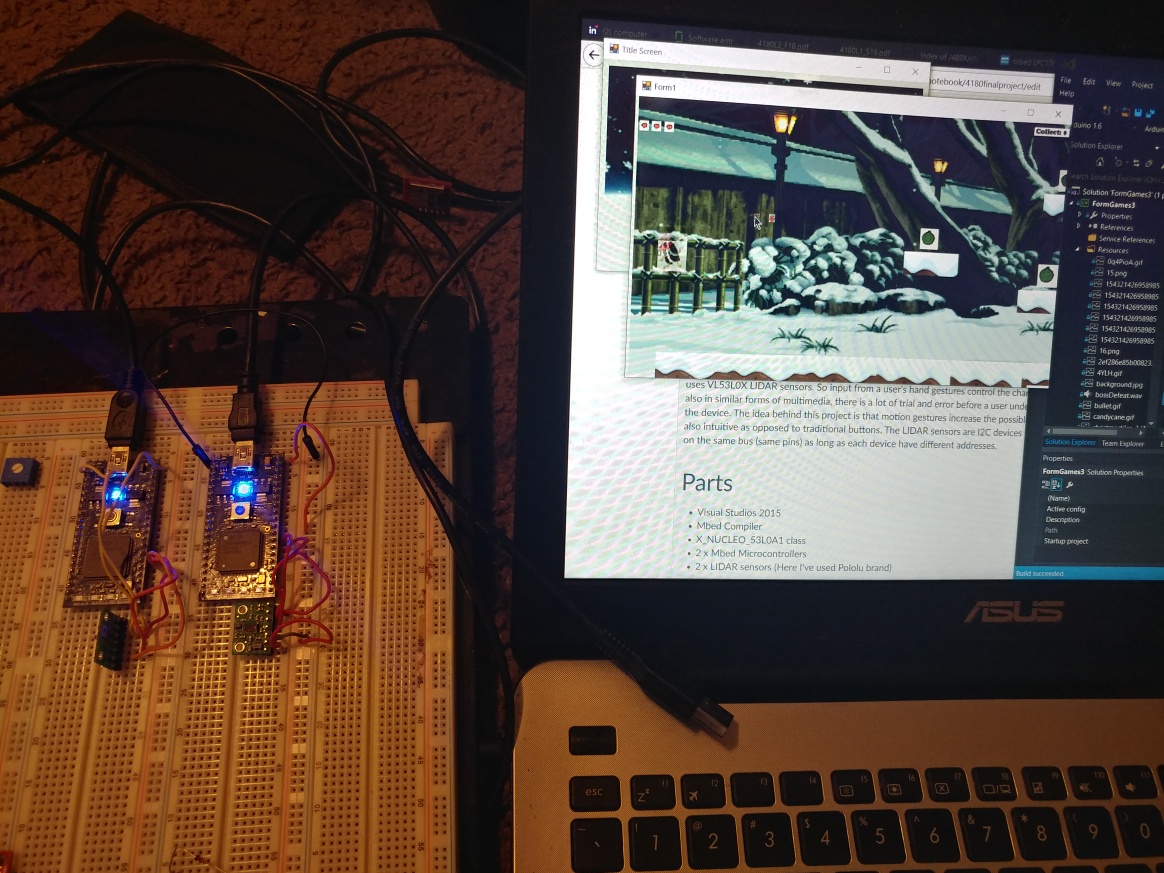
This is a game application made on Windows Forms that does not use conventional video game controllers but instead uses VL53L0X LIDAR sensors. So input from a user's hand gestures control the character. Normally in video games and also in similar forms of multimedia, there is a lot of trial and error before a user understands how inputs interfaces with the device. The idea behind this project is that motion gestures increase the possible inputs that users can do that are also intuitive as opposed to traditional buttons. The LIDAR sensors are I2C devices that ideally can give and receive data on the same bus (same pins) as long as each device have different addresses. Although I was not able to achieve this as a run time error would occur upon initializing them. So my solution is to use 2 mbed microcontrollers.
Parts
- Visual Studios 2015
- Mbed Compiler
- X_NUCLEO_53L0A1 class
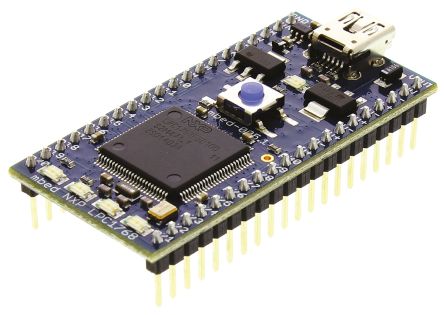
- 2 x Mbed Microcontrollers (LPC1768)
- 2 x LIDAR sensors (Here I've used Pololu brand)
 Each sensor is set up the same on each mbed
| LIDAR Sensor 1 | Mbed |
|---|---|
| Vin | Vout |
| gnd | Gnd |
| SDA | p28 |
| SCL | p27 |
| XSHUT | p26 |
| LIDAR Sensor 2 | Mbed |
|---|---|
| Vin | Vout |
| gnd | Gnd |
| SDA | p28 |
| SCL | p27 |
| XSHUT | p26 |
Set Up
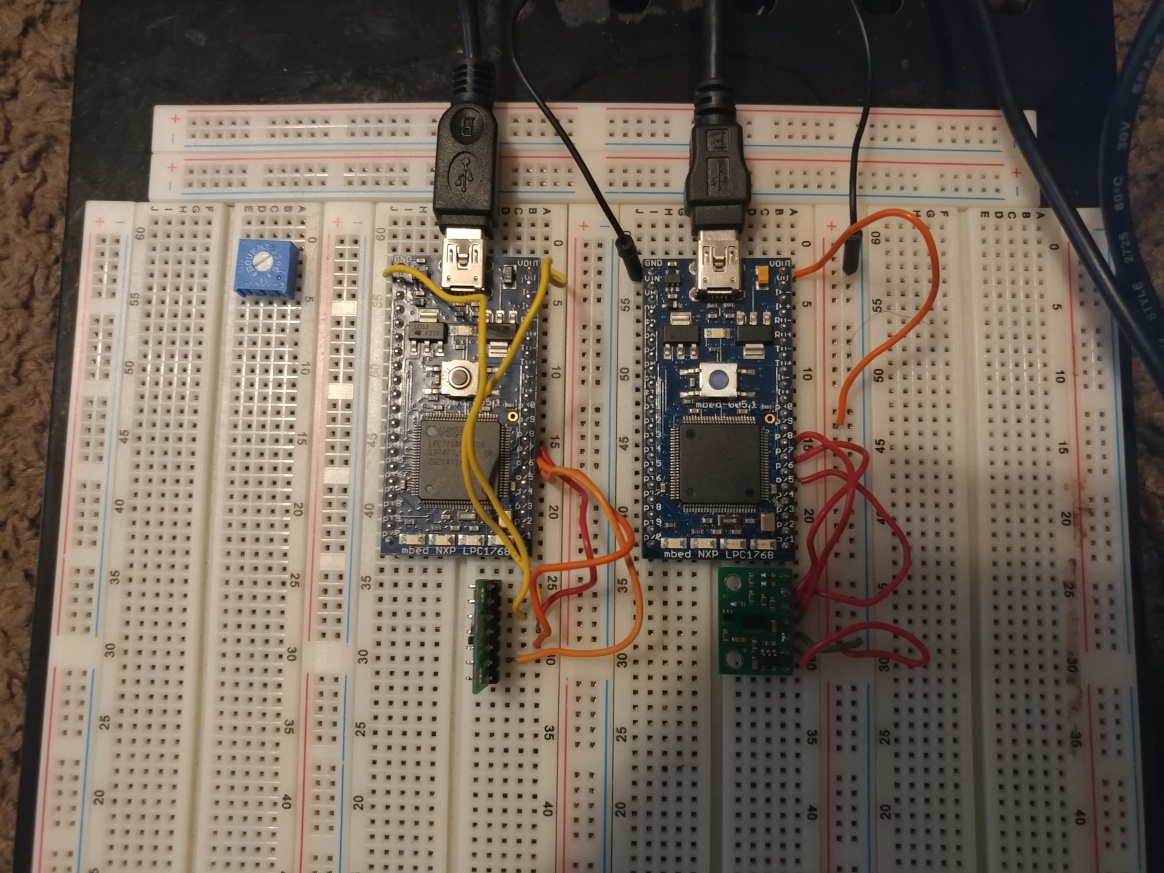
Following the connections above should be enough and should look like the following:
Code for Sensors
The code for each sensor is essentially the same as they both use SDA (p28) and SCL (p27) I2C pins though the difference is that they check for different distances and print different characters into the serial bus. The left sensor is for left and right movement. If a user's left hand is further than 100 millimeters then the character will move right if their left hand is further than 200 millimeters than the character will move left. Any other distance will still send a character though it will signal a non action because we do not want to repeatedly read the last action. Similarly, the right sensor is for jumping and shooting. Eventually the serial data will be read by the Windows Form Application and will be recognized as an action in the game.
Left Sensor
#include "mbed.h"
#include "XNucleo53L0A1.h"
#include "VL53L0X.h"
#include <stdio.h>
Serial pc(USBTX,USBRX);
DigitalOut shdn(p26);
DigitalOut shdn2(p25);

// This VL53L0X board test application performs a range measurement in polling mode
// Use 3.3(Vout) for Vin, p28 for SDA, p27 for SCL, P26 for shdn on mbed LPC1768

//I2C sensor pins
#define VL53L0_I2C_SDA   p28
#define VL53L0_I2C_SCL   p27
//#define VL53L0_I2C_SDA   p9
//#define VL53L0_I2C_SCL   p10

static XNucleo53L0A1 *board=NULL;

int main()
{

    int status;
    uint32_t distance;

    DevI2C *device_i2c = new DevI2C(VL53L0_I2C_SDA, VL53L0_I2C_SCL);
    board = XNucleo53L0A1::instance(device_i2c, A2, D8, D2);

    shdn = 0;
    wait(0.1);
    shdn = 1;
    wait(0.1);

    status = board->init_board();
    while (status) {
        pc.printf("Failed to init board! \r\n");
    }

    while (1) {

            status = board->sensor_centre->get_distance(&distance);
            if (distance > 0 && distance <= 100) {
                pc.putc('d');
            } else if(distance > 100 && distance <= 200) {
                pc.putc('a');
            } else {
                pc.putc('m');
            }
    }
}
Right Sensor
#include "mbed.h"
#include "XNucleo53L0A1.h"
#include "VL53L0X.h"
#include <stdio.h>
Serial pc(USBTX,USBRX);
DigitalOut shdn(p26);
DigitalOut shdn2(p25);

// This VL53L0X board test application performs a range measurement in polling mode
// Use 3.3(Vout) for Vin, p28 for SDA, p27 for SCL, P26 for shdn on mbed LPC1768

//I2C sensor pins
#define VL53L0_I2C_SDA   p28
#define VL53L0_I2C_SCL   p27
//#define VL53L0_I2C_SDA   p9
//#define VL53L0_I2C_SCL   p10

static XNucleo53L0A1 *board=NULL;

int main()
{

    int status;
    uint32_t distance;

    DevI2C *device_i2c = new DevI2C(VL53L0_I2C_SDA, VL53L0_I2C_SCL);
    board = XNucleo53L0A1::instance(device_i2c, A2, D8, D2);

    shdn = 0;
    wait(0.1);
    shdn = 1;
    wait(0.1);

    status = board->init_board(52, 54, 56);
    while (status) {
        pc.printf("Failed to init board! \r\n");
        //status = board->init_board();
    }

    while (1) {

            status = board->sensor_centre->get_distance(&distance);
            if (distance > 0 && distance <= 100) {
                pc.putc('w');
                //pc.printf("a\r\n");
            } else if(distance > 100 && distance <= 200) {
                pc.putc('x');
                //pc.printf("d\r\n");
            } else {
                pc.putc('m');
            }

            /*
            status2 = board2->sensor_centre->get_distance(&distance2);
            if (distance2 > 0 && distance2 <= 50) {
                pc.putc('w');
            } else if (distance2 > 50 && distance2 <= 100){
                pc.putc('x');
            } else {
                pc.putc('j');
            } */

            //if (t.read_ms() >= 5000) {
            //    t.reset();
            //    break;
            //}
        //}
    }
}
Windows Form Code
https://github.com/dnguyen51741/ece4180projectC.git This is the Windows Form application that runs correctly if:
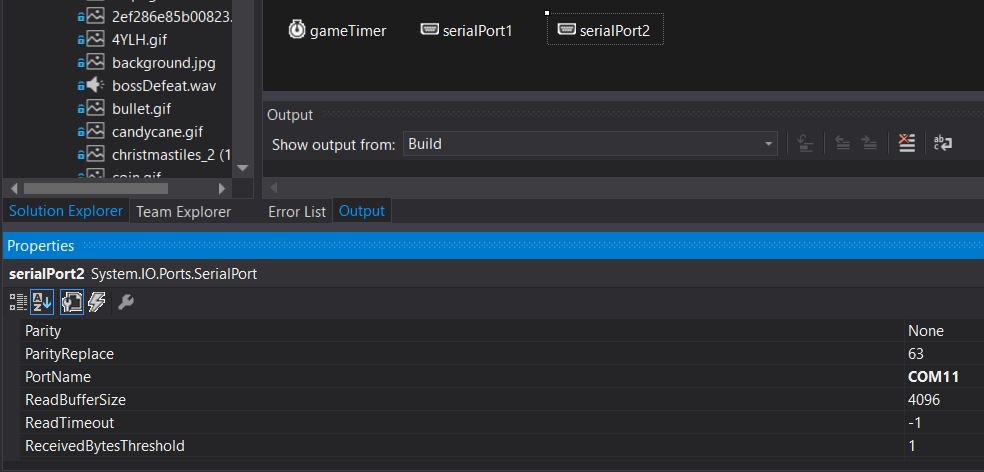
- The 2 serial port objects are communicating with the right COM port (which is likely different since it is based on the mbed)
For example serialport2 communicates with COM11. This must be done for every form that uses transfers serial data because they are reinitialized once a new instance of a form is created. Failure to use the correct COM port will cause an exception that does not allow forms to appear.
- Your machine has Windows Media Player as this is how sounds are played otherwise there may be no sound.
As soon as the application runs (assuming the microcontrollers are connected) it will instantly start to continuously read the USB serial data from the microcontrollers until a character it recognizes gets translated as a command in game.


Video
Please log in to post comments.