You are viewing an older revision! See the latest version
Program3_BLEHeartRate
This example demonstrates how to use the X-NUCLEO-IDB05A1 component with one of the STM32 Nucleo platforms to obtain heart rate information:
For the sake of simplicity and portability, the sensor in this case has been abstracted using a counter which counts up to a threshold and then recycles. The code can be easily extended to use the real heart rate sensor.
Technical details are better presented in the mbed Classic equivalent of this example.
Setup
First, attach the X-NUCLEO-IDB05A1 to the STM32 Nucleo platform as shown here:
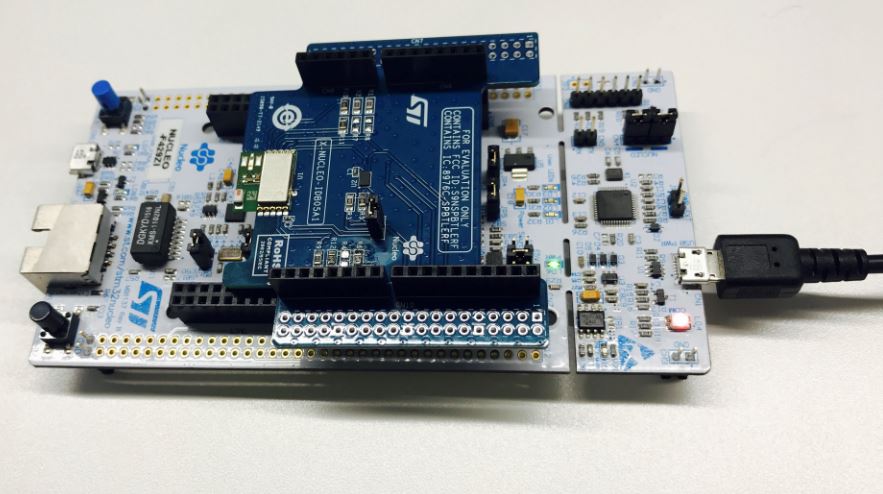
To see the heart rate information on your phone, you need download a BLE Scanner App:
- nRF Master Control Panel for Android
- LightBlue for iPhone
Compile and Run
Building with mbed CLI
If you'd like to use mbed CLI to build this, then you should follow the instructions for mbed cli. The instructions here relate to using the developer.mbed.org Online Compiler
- Import Program3_BLEHeartRate to your online compiler.
- Porting work
- Update the BLE_API library if it is outdated: just right click at the BLE_API library and choose update all.
- Add the line #define IDB0XA1_D13_PATCH to X_NUCLEO_IDB0XA1/x_nucleo_idb0xa1/x_nucleo_idb0xa1_targets.h
x_nucleo_idb0xa1_targets.h
#define IDB0XA1_D13_PATCH
3.Compile and download the bin file to 'NODE_F429ZI' disk. Then reset the board. 4. Now open the BLE scanner on your phone. Start a scan.
- Find your device; it should be named `bluenrg!`.
- Click the connect to establish the connection with your device.
- Click the Heart Rate Measurement. If you can see some notification from the device, congratulations!