You are viewing an older revision! See the latest version
Program2_SensorReader
The "Sensors Reader" program is a more complex example of how to use the X-NUCLEO-IKS01A1 expansion board featuring among others:
- Support for LSM6DS3 3D Accelerometer & Gyroscope (on DIL 24-pin socket) including free-fall detection
- Usage of LED & Ticker
- Exploitation of wait for event
- (Top-/Bottom-Half) Interrupt handling
Setup
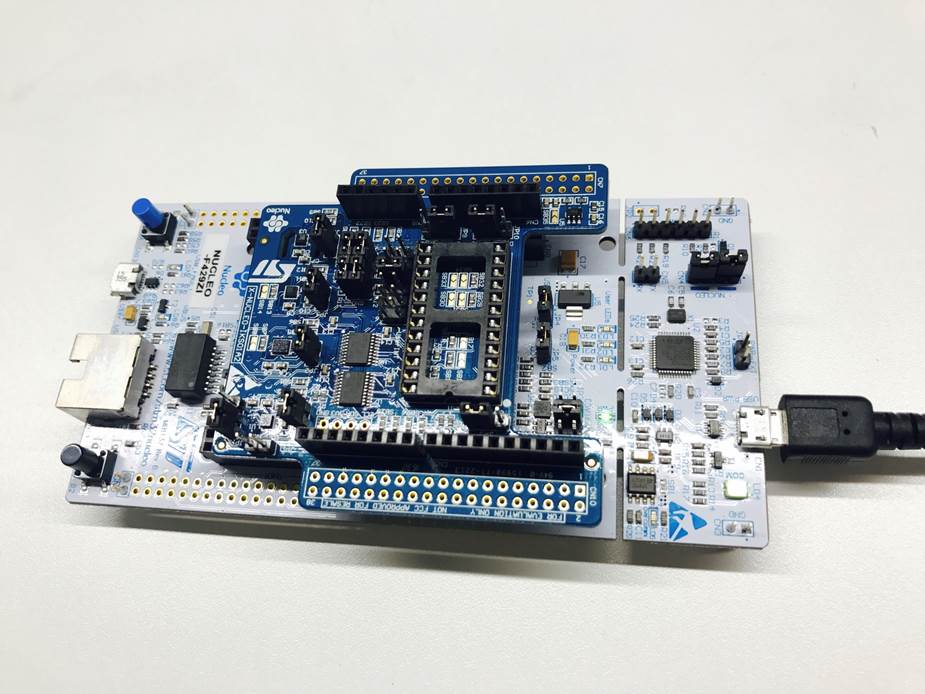
First, attach the X-NUCLEO-IKS01A1 to the STM32 Nucleo platform and then connect them to your PC using micro USB cable as shown here:
Compile and Run
- Import Program2_SensorReader to your online compiler.
- Compile and load the bin file to 'NODE_F429ZI' disk. Then reset the board to run the program.
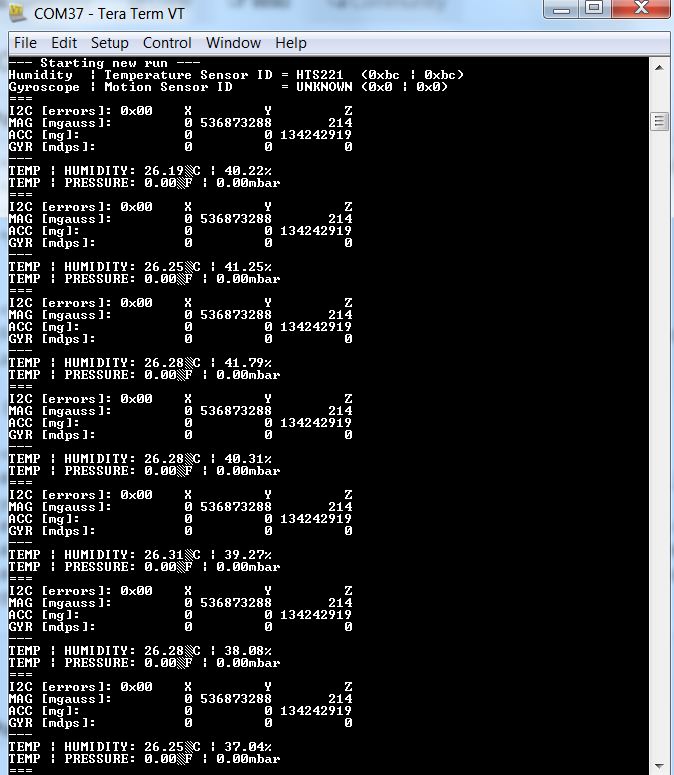
- Open your terminal window to see the output information (set the baud rate to 9600).
- Now you should see the sensor values from device including temperature, humidity, pressure...! You can put you hand on the shield for a while. The temperature and humidity will soon get higher.